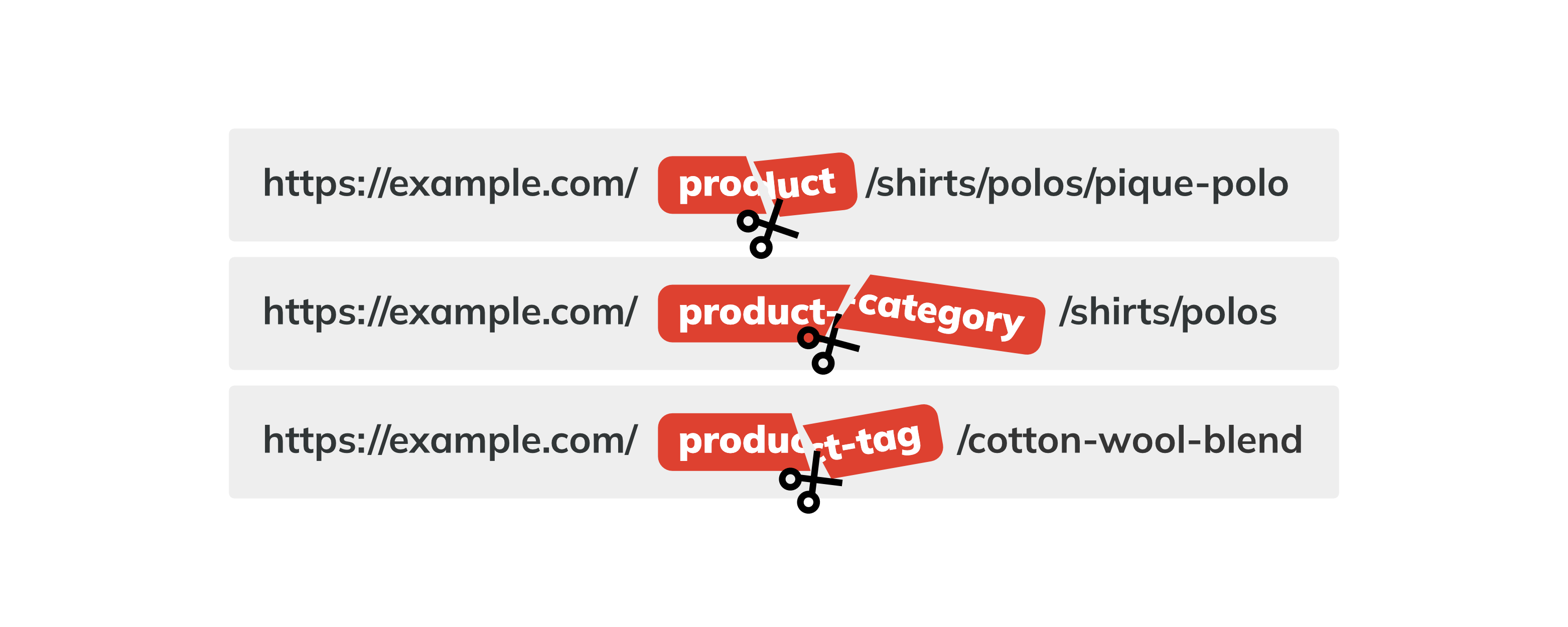
Permalink Manager allows you to remove or change the /product/ and /product-category/ bases in WooCommerce URLs directly from your WordPress dashboard without broken links or 404 errors.
By default, WooCommerce products and categories, like other custom post types and taxonomies, use fixed URL structures with permalink bases that help WordPress identify the content type.
You can change these bases in Settings → Permalinks, but you cannot remove them there. To remove them, you need custom code or a permalink plugin such as Permalink Manager.
A plugin may be a more convenient option if you also want to customize WooCommerce permalinks in other ways or change other URLs added by third-party plugins, such as ACF.
How to Remove WooCommerce URL Bases with Permalink Manager?
Permalink Manager allows you to customize WooCommerce permalinks directly from the WordPress admin dashboard, without writing any PHP code. The configuration process is simple, and it usually takes only a few clicks.
Step 1: Open Permastructures Editor
To change and override the default WooCommerce permalink settings, open the Permastructure editor. You can find it by navigating in your WordPress dashboard to "Tools → Permalink Manager → Permastructures".
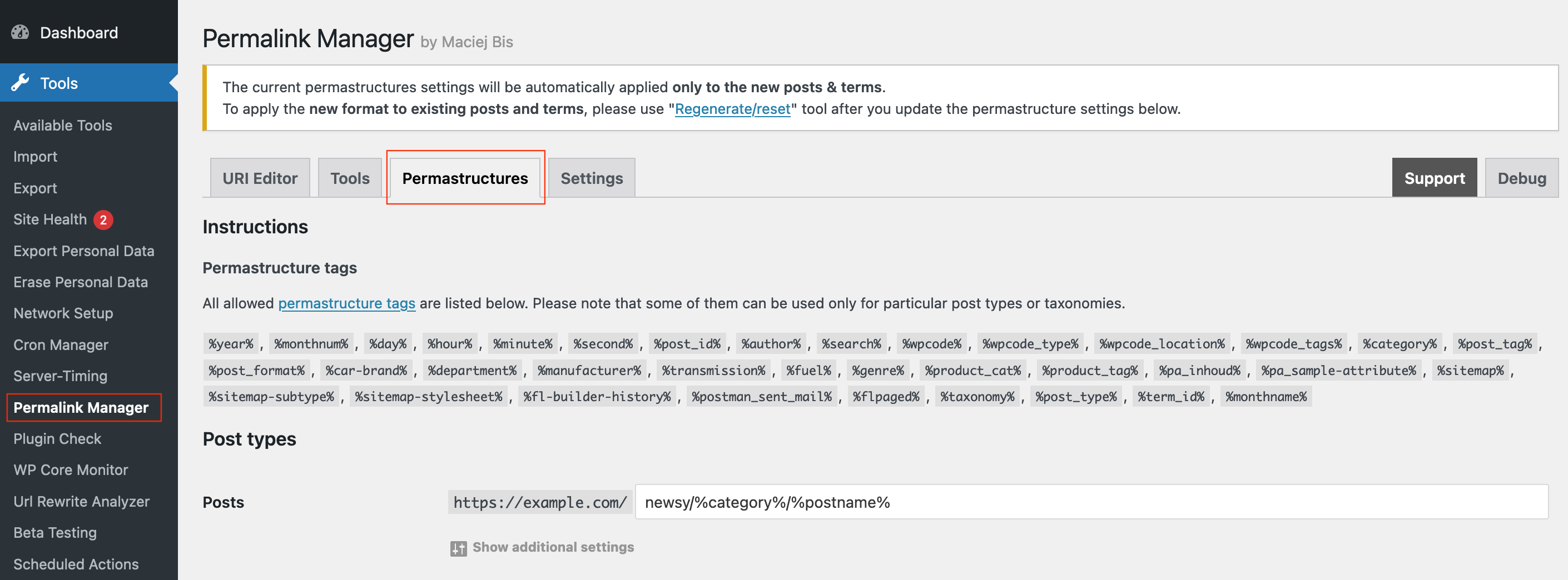
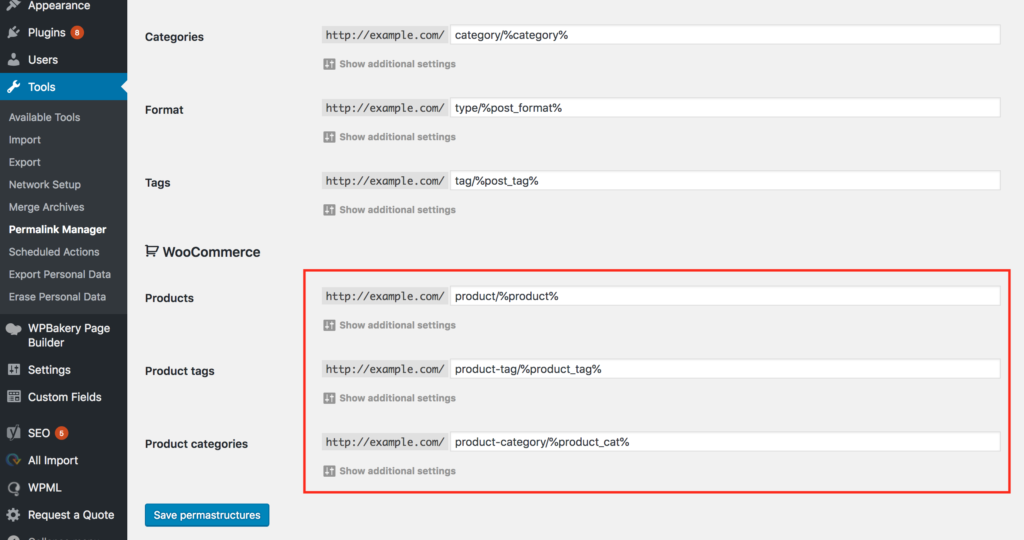
The WooCommerce content types are organized in a separate subsection for your convenience. You will find the settings for content types controlled by WooCommerce grouped into a separate section near the bottom of the page.
Step 2: Edit the URL Structure
You may now replace the permalink bases /product/, /product-category/, and /product-tag/ with any word you choose or delete them entirely.
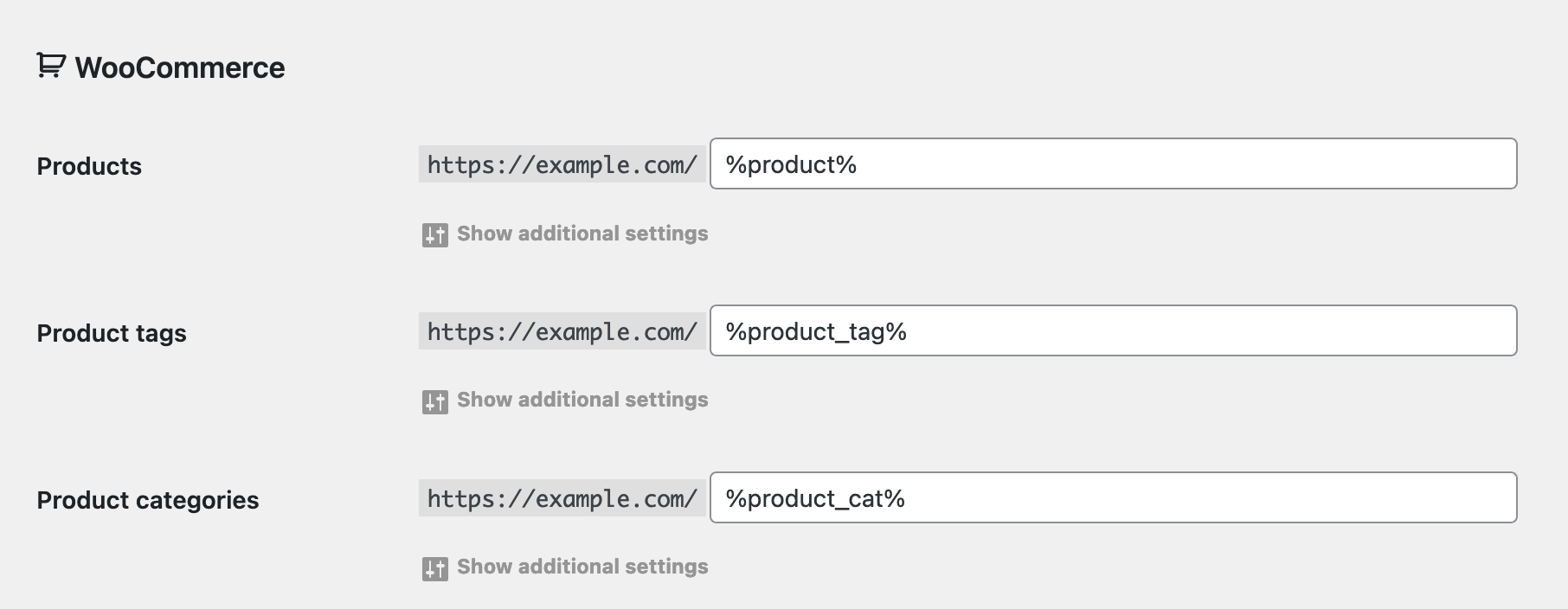
Please remember to save the updated options by clicking the "Save Permastructures" button at the bottom of the page.
To prevent any unexpected modifications to existing URLs that could negatively impact SEO, these changes will not affect them automatically.
Step 3: Update Existing URLs (Optional)
If you want your product URLs to follow the new structure without permalink bases, you need to reset their custom permalinks. This can be done using the "Regenerate/reset" tool found in the Tools section.
You will need to use it separately for post types (Products), and for taxonomies (Product Categories & Product Tags), depending on which ones need to be updated.
Products
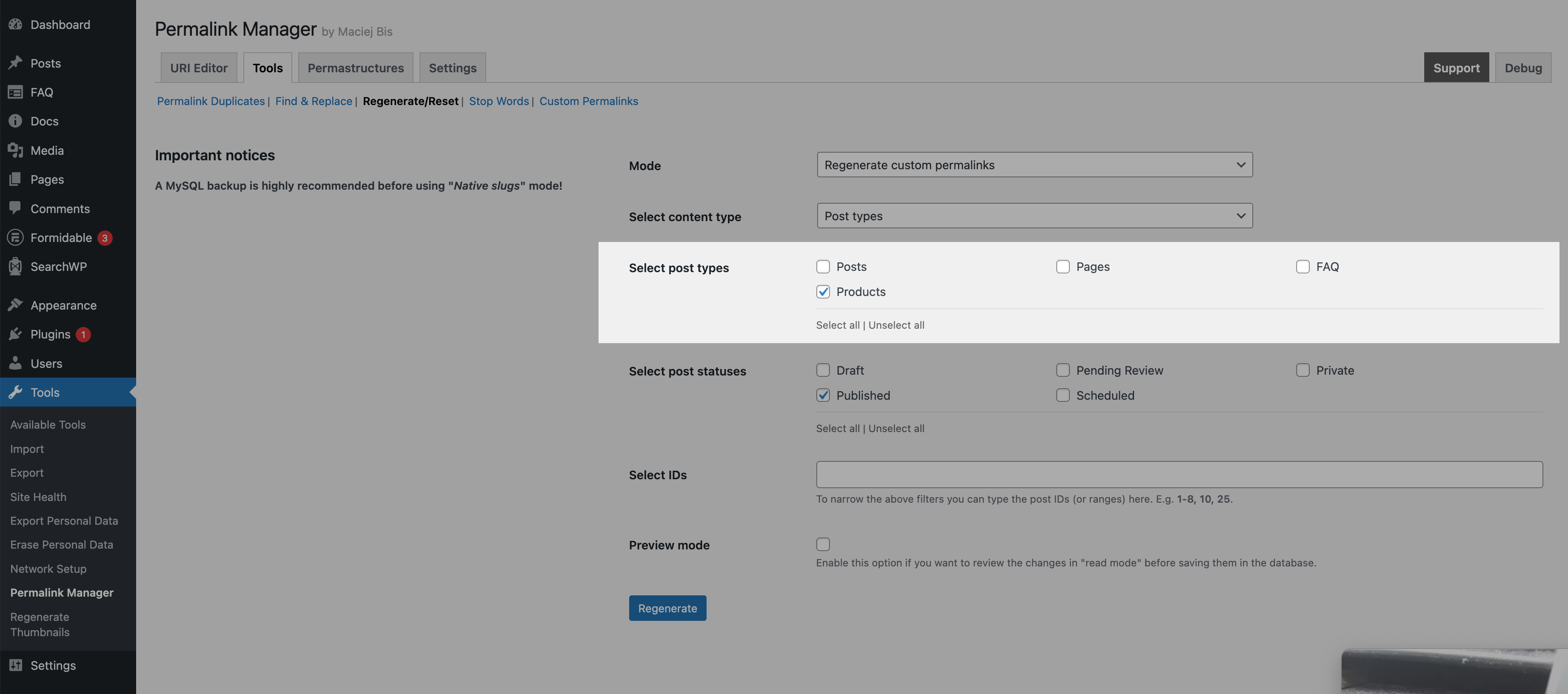
After opening the tool, you will see a simple form with a handful of settings. To set the new format for Products, use the settings listed below:
| Field | Selection |
|---|---|
| Mode | Regenerate custom permalinks |
| Select content type | Post types |
| Select post types | Products |
| Select post statuses | Published |
Products categories & tags
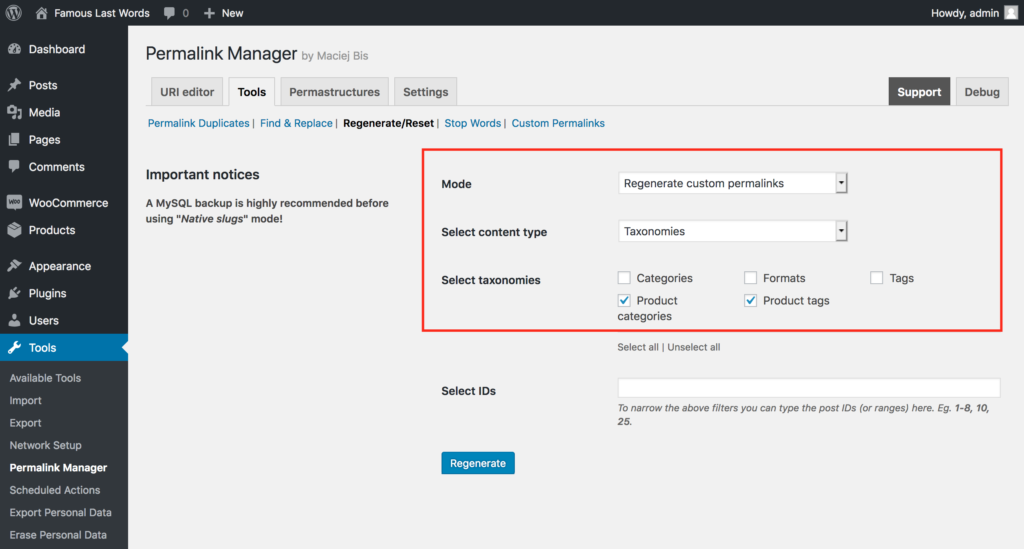
Resetting the permalinks for Product Categories and Tags involves steps identical to those used for Products. The settings, however, are shown below and differ a bit from the settings used for Products:
| Field | Selection |
|---|---|
| Mode | Regenerate custom permalinks |
| Select content type | Taxonomies |
| Select taxonomies | Product categories & Product tags |
How to Customize Permalinks Individually?
If you want to remove /product-category/ from WooCommerce permalinks, using "Permastructures" to bulk update them is more convenient than changing them one by one. Permalink Manager allows you to modify the shop URLs in yet another method.
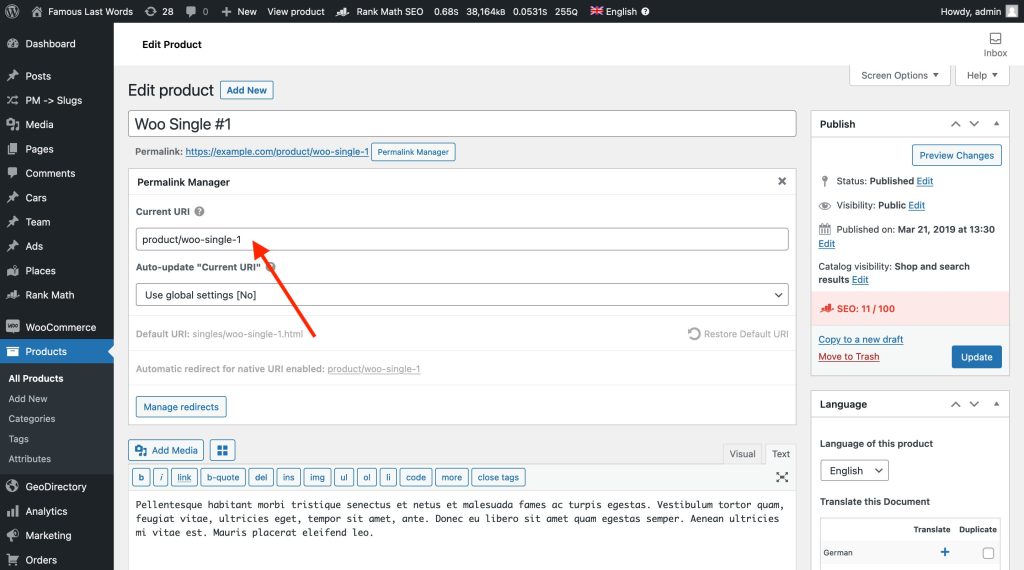
When you only need to change a few products or product categories, using URI Editor is the simplest and most straightforward option. To open the URI Editor, click the "Permalink Manager" button next to the title input field.
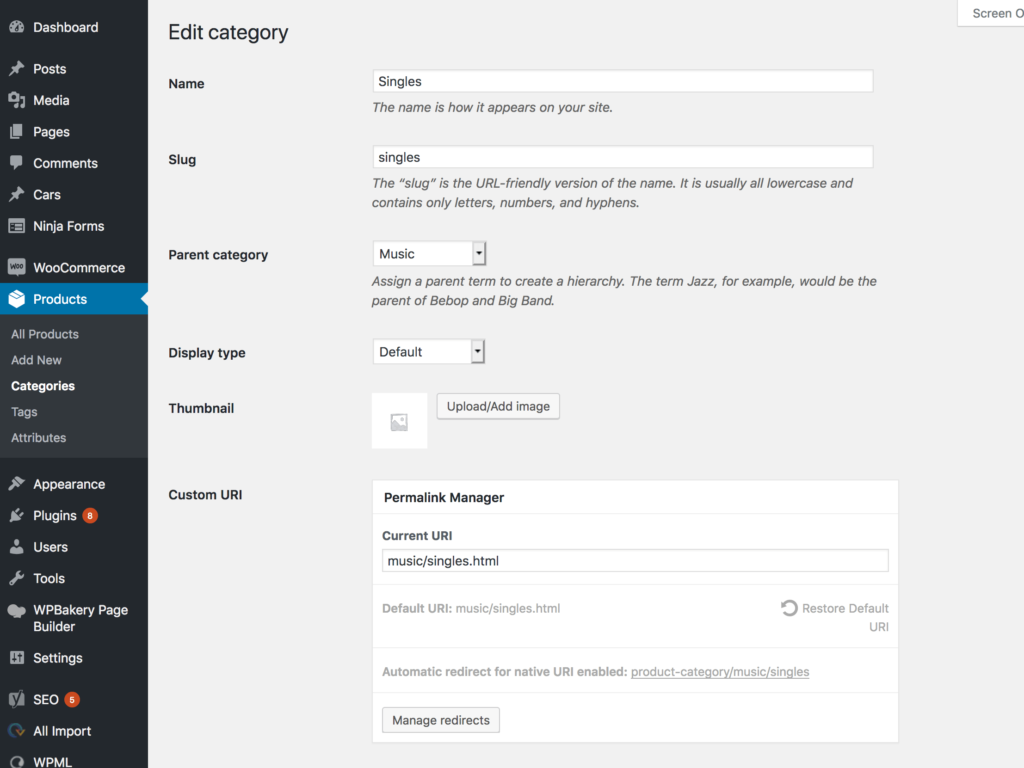
The URI Editor for product categories and tags may be found at the bottom of the form that allows you to make changes to the term.
FAQ
Will Removing URL Bases Affect My SEO Rankings?
The URLs are an important element of your SEO strategy and should be analyzed with care. In a brand-new WooCommerce store, updating permalinks usually has little impact on SEO because the site has minimal traffic and few, if any, backlinks.
While URL length does not directly affect the position in search results, it can influence how users perceive your links in search results, which can impact click-through rates.
Shorter, cleaner URLs often look better in search results and can encourage more visitors to click. Search engines typically display only the first 65–75 characters of a URL in results pages.
For an established site, changing existing URLs requires caution. Pages or products that already have backlinks, organic traffic, or authority should generally keep their current permalinks to avoid broken links and loss of SEO value.
Can I Remove the Permalinks Base Using Default Settings?
Technically, no. While you can change the base in "Settings → Permalinks", you cannot leave it blank. You may find tutorials suggesting entering a single dot (.) into the Product or Product category base field in permalink settings for WooCommerce.
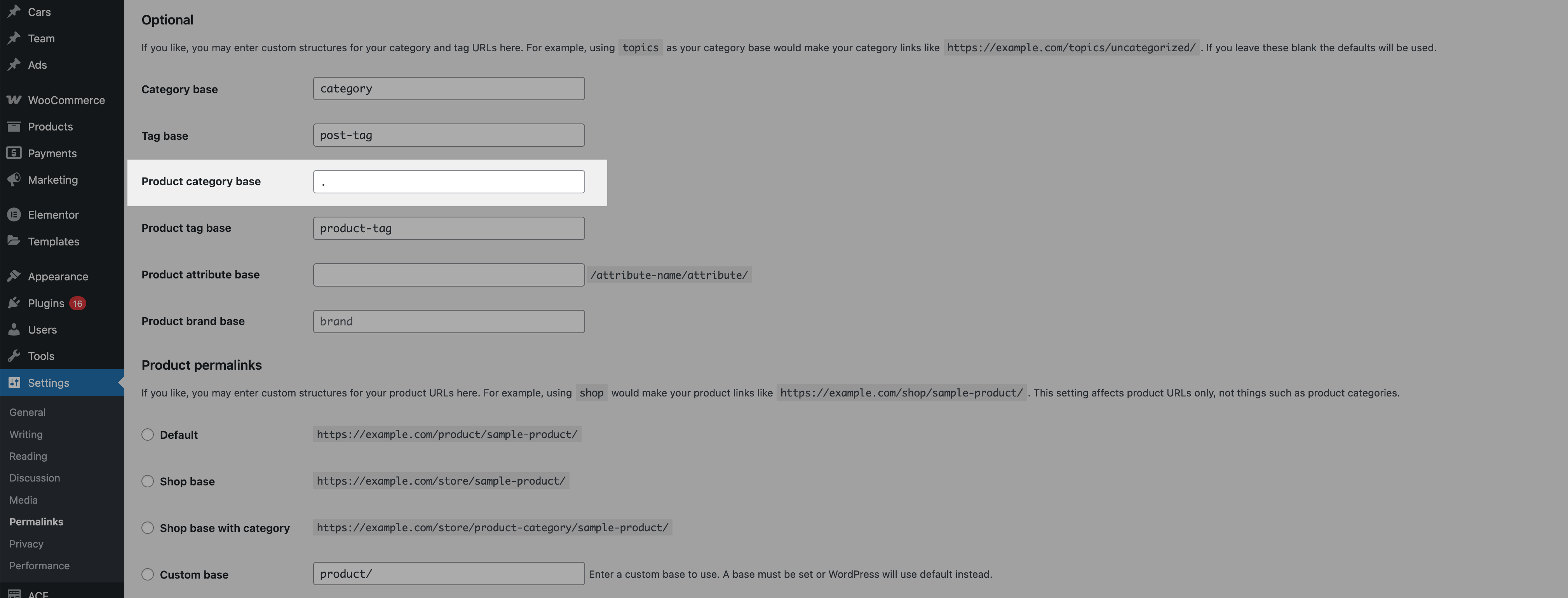
If you use the same permalink base (like "product") for different content types or remove it completely in built-in permalinks settings, WordPress will not be able to differentiate between different content types.
This configuration may trigger URL conflicts and return 404 errors. WordPress may incorrectly identify standard pages or posts permalinks as WooCommerce product or category links, or the reverse.In such cases, only one content type will load correctly, while the other returns a 404.
Do I Need to Set Up Redirects for Old URLs?
Removing the "/product/" or "/product-category/" base may break existing backlinks. When this happens, visitors and search engines can hit "404 Not Found" pages, which may affect both referral and organic traffic.
Permalink Manager Pro handles this automatically. The plugin detects when a user visits an old URL and redirects them to the updated address.