WordPress prevents duplicate slugs by adding numeric suffixes or parent slugs to URLs, depending on the content type and URL hierarchy. When a slug is already in use within the relevant scope, WordPress may modify it to keep URLs unique.
For example, when a page slug conflicts with an existing page under the same parent, WordPress may append a suffix such as -2. For hierarchical taxonomy terms, it may also add the parent slug to distinguish the term.
However, the same final slug does not always cause a conflict. Two hierarchical pages can both use the slug contact under different parents, resulting in URLs such as /marketing/contact/ and /sales/contact/. Since the full URLs differ, WordPress can identify each page separately.
Permalink Manager can bypass WordPress's unique slug handling if you need multiple items to share the same slug. The plugin can still identify the correct content, as long as each item has a unique full URL.
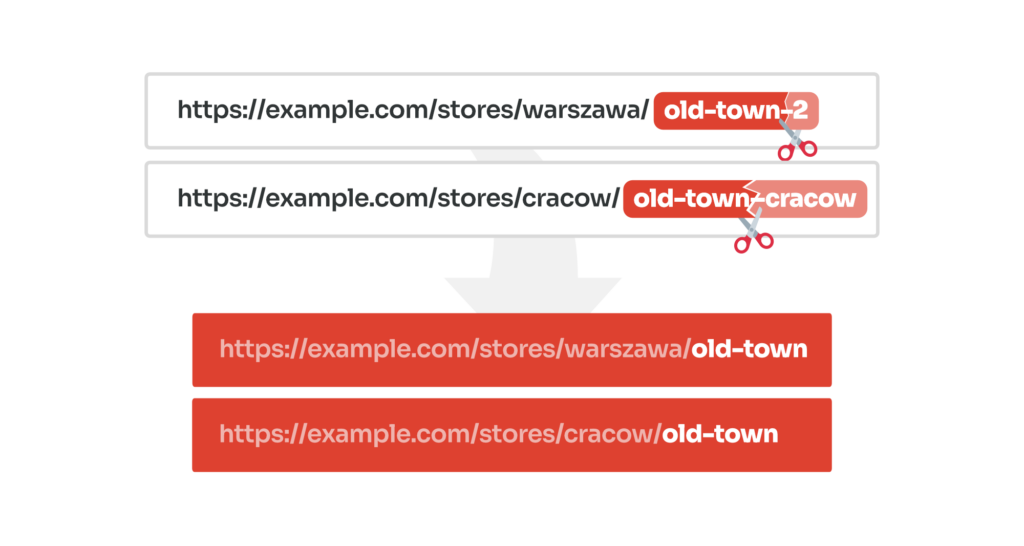
How to Remove "-2" or Reuse the Same Slug
To allow duplicate slugs in the WordPress URLs and remove numeric suffixes like "-2" or parent titles from them, you can choose one of two available solutions.
- You can manually remove the numerals appended to the individual permalinks.
- You can set Permalink Manager to use post titles instead of the default slugs in custom permalinks.
You can use the plugin to remove "-2" from duplicate slugs in permalinks for posts, pages, categories, and also custom post types and taxonomies.
Method 1: Manually Adjust the Custom Permalink
The easiest way to remove the numeric suffix (such as -2) in Permalink Manager is to change the permalinks directly in the content editor. This is a practical option for a few URLs, but updating many pages individually takes more time.
When subcategories have the same name but belong to different parent categories, WordPress adds the parent category slug to their URLs, e.g. (category/security/faq-security).
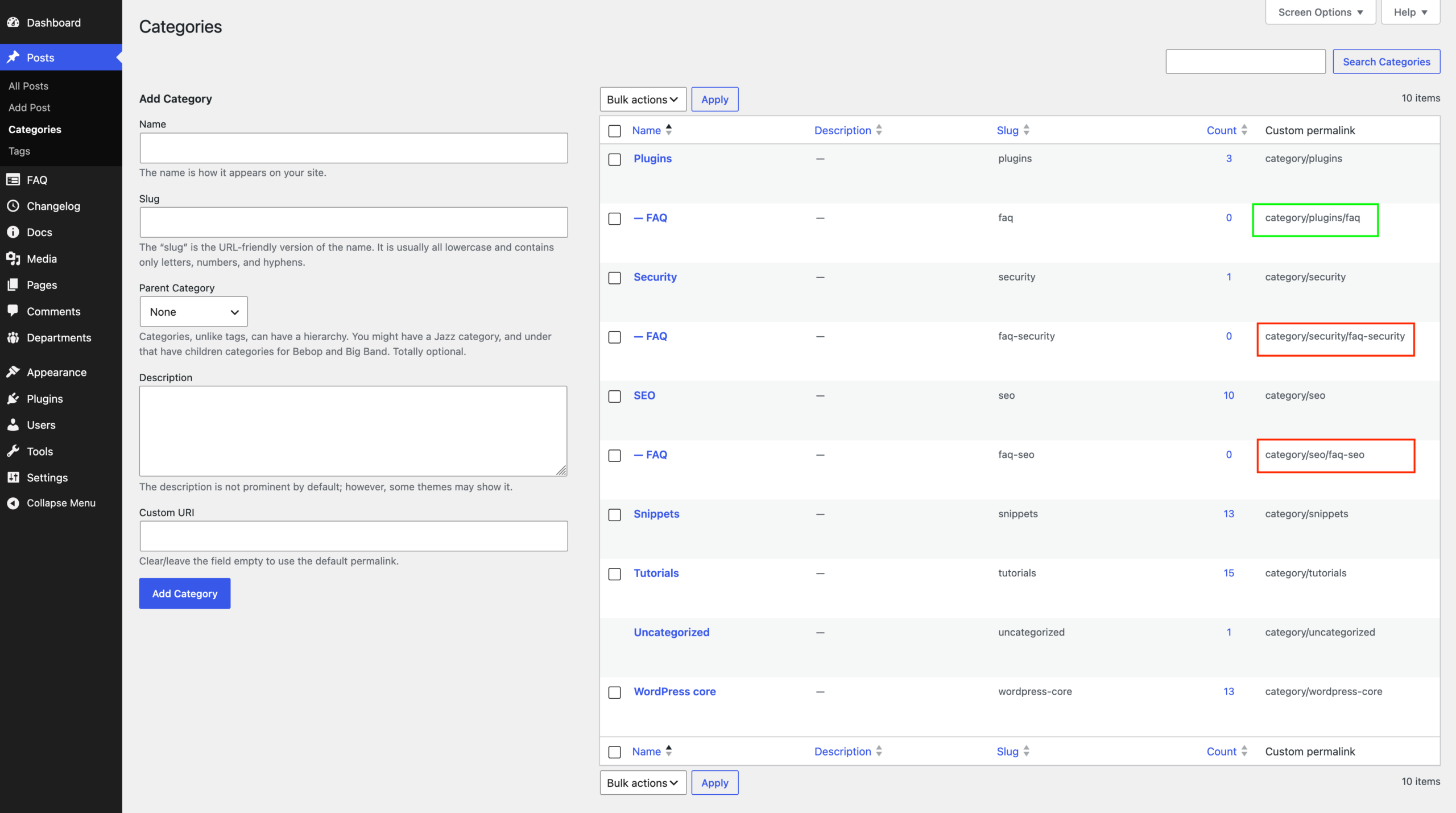
The custom permalink initially matches the original WordPress URL, including any extra parent slug or numeric suffix.
Permalink Manager lets you edit the entire custom permalink wherever WordPress normally lets you edit the item's slug, title, or content.
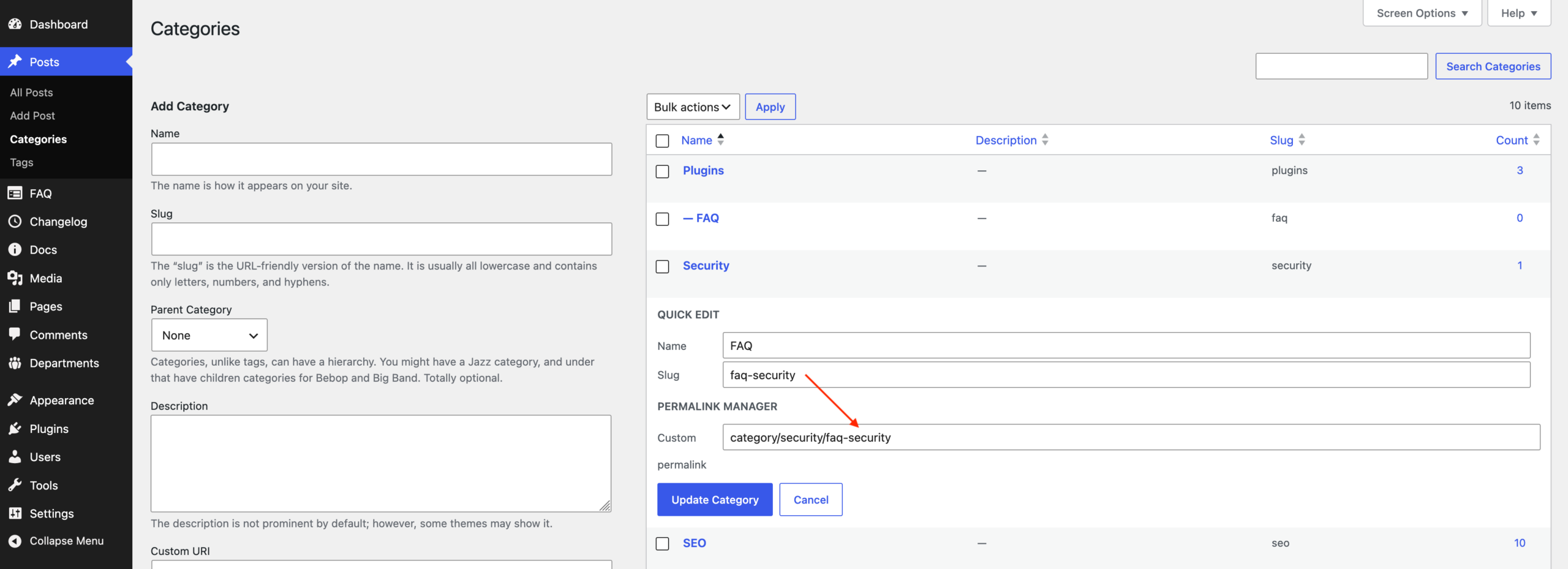
You can also use this field to make any other changes to the URL, as the plugin gives you full control over the custom permalink.

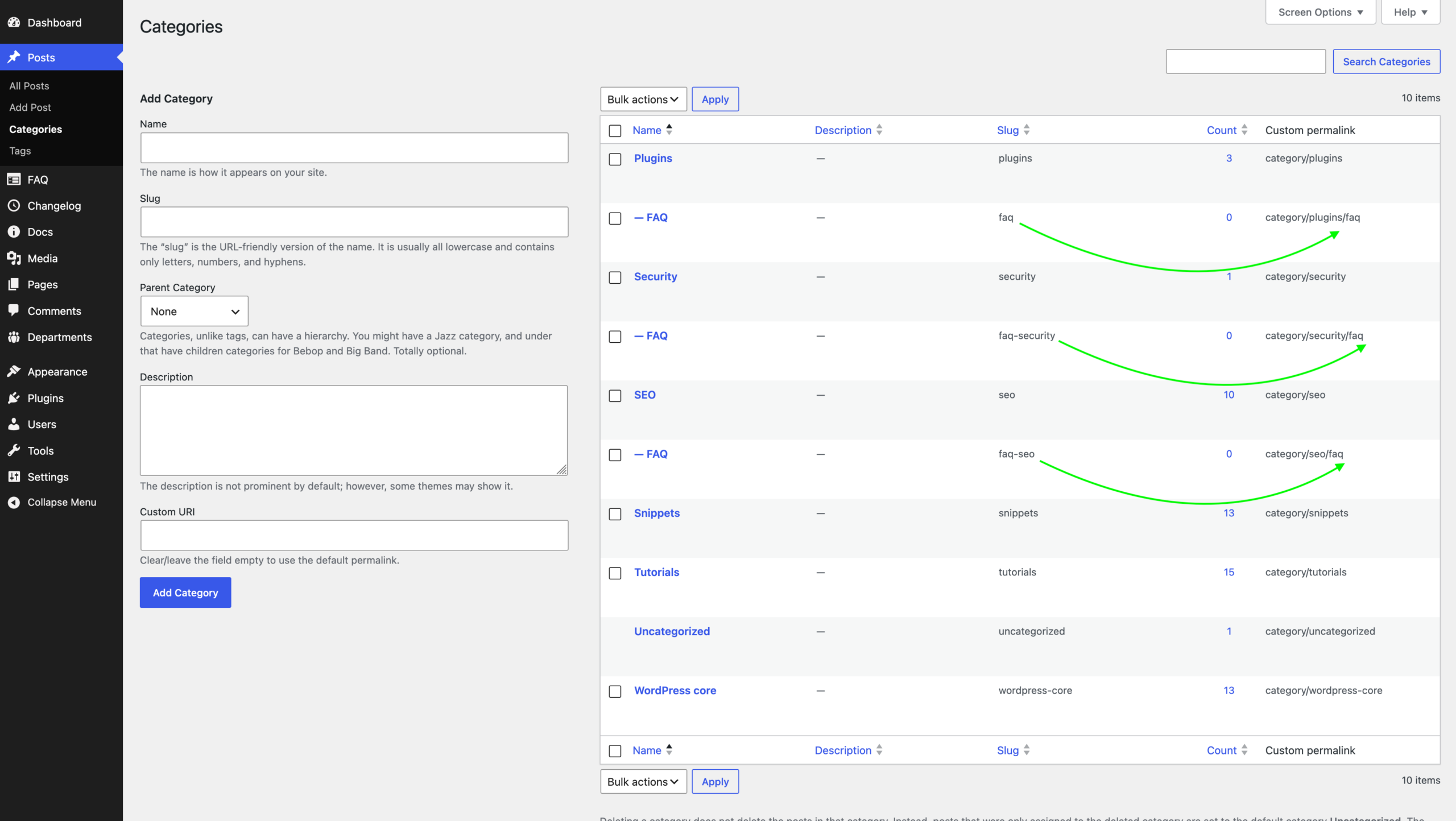
category/security/faq.Method 2: Use Titles Instead of Slugs
Instead of adjusting each permalink by hand, you can make the process much faster. To simplify it, enable “Use actual titles as slugs (Force custom slugs)” under "Slugs mode" in the plugin settings.
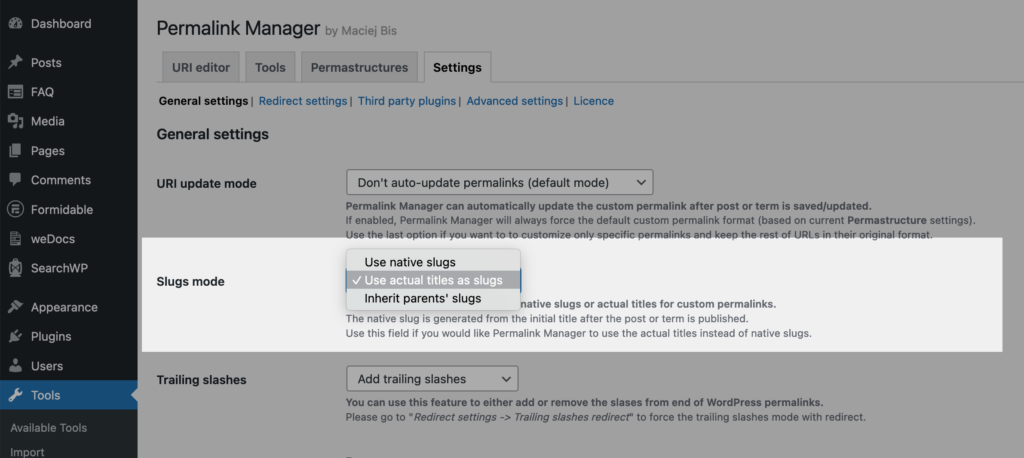
This changes how the plugin generates new custom permalinks for all content types. When enabled, Permalink Manager will always use the actual title (eg. “Shoes“) instead of the native slug (eg. “shoes-2“) in the custom permalink.
If you prefer not to apply this globally, you can adjust the slug mode for selected post types or taxonomies by replacing default tags like %product% or %product_cat% with %native_title%:

Why WordPress Adds "-2" to Duplicate Slugs
A duplicate slug is not always a problem. For example, /marketing/contact/ and /sales/contact/ can use the same slug because WordPress can distinguish the pages by their full paths using get_page_by_path().
WordPress checks slug uniqueness with two functions: wp_unique_post_slug() for posts and other post types, and wp_unique_term_slug() for taxonomy terms. Each function applies different rules and checks more than just the parent element.
Posts, Pages and Custom Post Types
The documentation and source code comments for wp_unique_post_slug() describe how WordPress checks slug uniqueness based on the post type’s configuration:
- Non-hierarchical post types: WordPress checks whether another item of the same post type already uses the requested slug.
- Hierarchical post types: WordPress checks whether another item of the same post type and with the same parent uses the requested slug.
WordPress skips the standard check for some statuses, such as drafts, pending posts, auto-drafts, and revisions. If a slug is an integer between 1 and 31, WordPress also checks whether it conflicts with a date-based archive URL.
When a conflict occurs, WordPress typically appends a numeric suffix, such as -2 or -3, to generate a unique slug. For example, if you publish a page titled About us, its URL might be:
https://example.com/about-us/If you publish additional pages with the same title and no parent page, WordPress adds a numeric suffix to each duplicate slug:
- First page →
about-us - Second page →
about-us-2 - Third page →
about-us-3
Categories and Custom Taxonomies
WordPress handles taxonomy term slugs, such as those used by categories, tags, and custom taxonomies, through a separate function called wp_unique_term_slug().
By default, terms in different taxonomies can use the same slug, as long as no other term in the same taxonomy uses it.
When a slug conflicts with an existing term in the same taxonomy, WordPress may append the parent term's slug to make it unique. If the conflict remains, WordPress adds a numeric suffix.
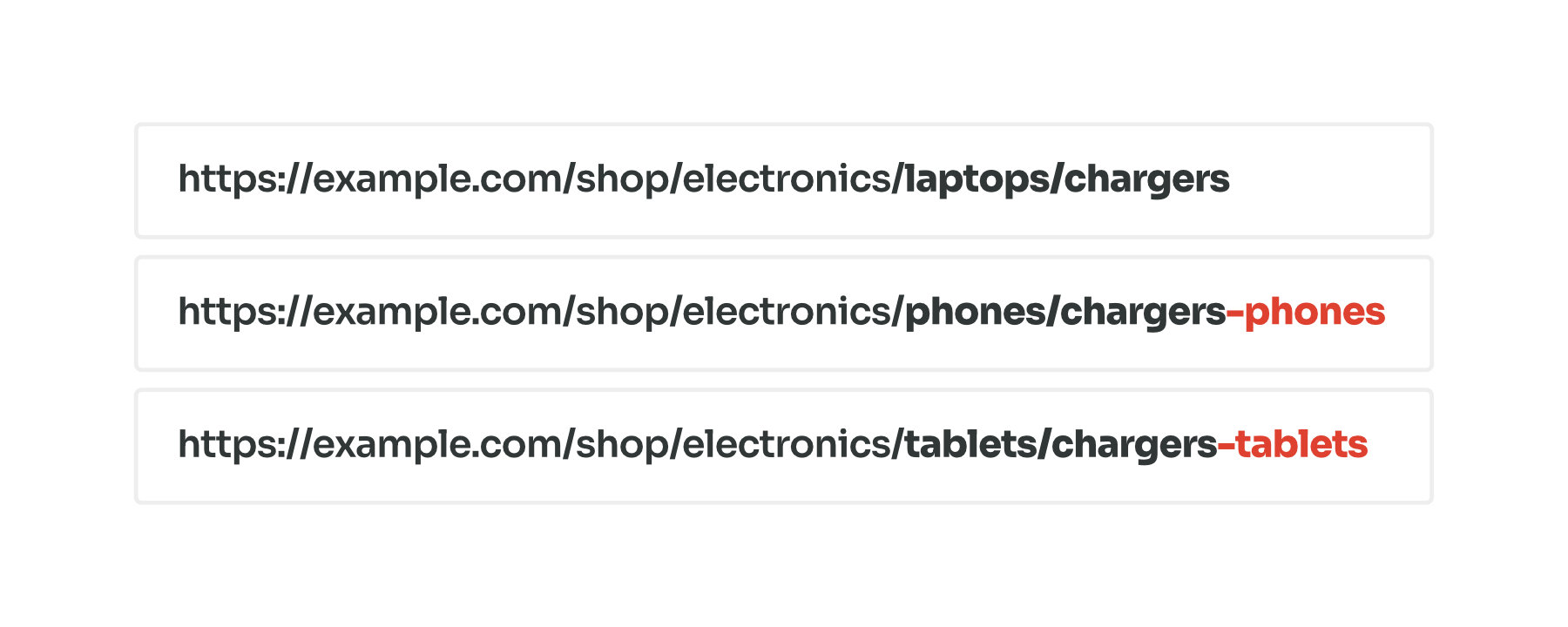
For example, consider these product categories. Your first category, Chargers, keeps the original URL:
https://example.com/shop/electronics/laptops/chargers
If you add another Chargers subcategory under the different parent (Phones), WordPress adds the parent's title to make the slug unique:
https://example.com/shop/electronics/phones/chargers-phones
The same happens if you add another Chargers subcategory under (Tablets). WordPress appends the parent slug again:
https://example.com/shop/electronics/tablets/chargers-tablets
Can You Remove the "-2" with a Code Snippet?
WordPress includes filters that let you change how it generates and saves slugs. For example, pre_wp_unique_post_slug can override the slug that WordPress would otherwise generate.
However, changing how WordPress generates slugs does not guarantee that the new URLs will resolve to the correct pages without returning 404 errors.
Your solution must also handle edge cases involving hierarchical URL structures, multilingual sites, and compatibility with other plugins.
Preventing and Detecting Duplicate Permalinks
Permalink Manager can be configured to allow duplicate slugs, even when WordPress’s built-in permalink system would normally prevent them. The plugin resolves URLs based on the full permalink, so duplicate slugs do not cause conflicts as long as each complete URL is unique.
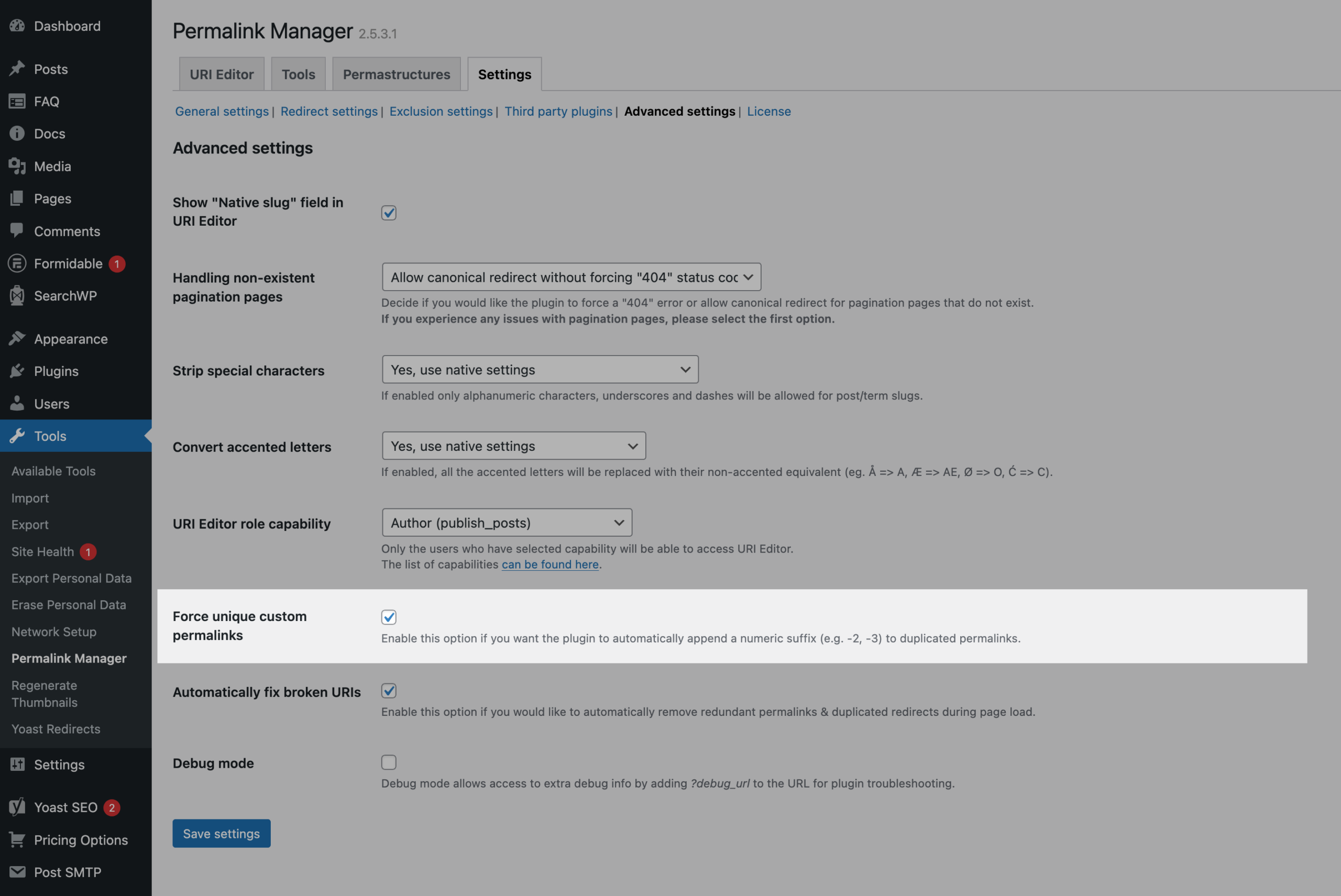
The dashboard helps you identify and resolve duplicate custom permalinks. You can also enable Force unique custom permalinks setting to ensure that each custom permalink is unique.
List of Duplicated Permalinks
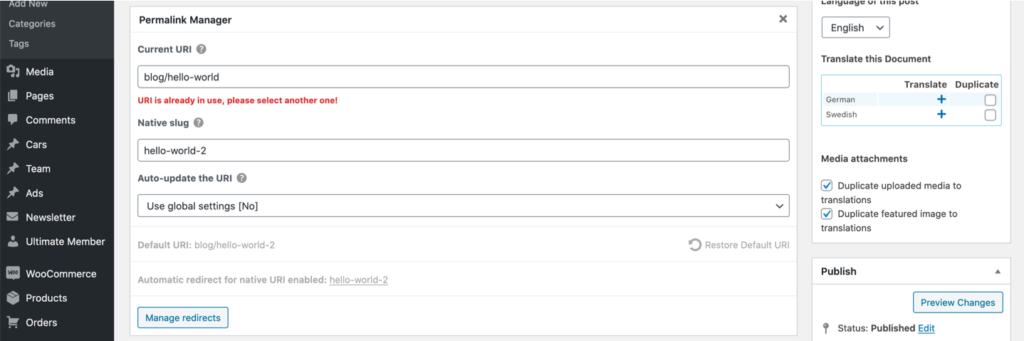
The plugin includes a soft‑error mechanism that notifies you about duplicate custom permalinks while editing a post or taxonomy term. When the permalink you enter is already in use, a notice is shown below the field.
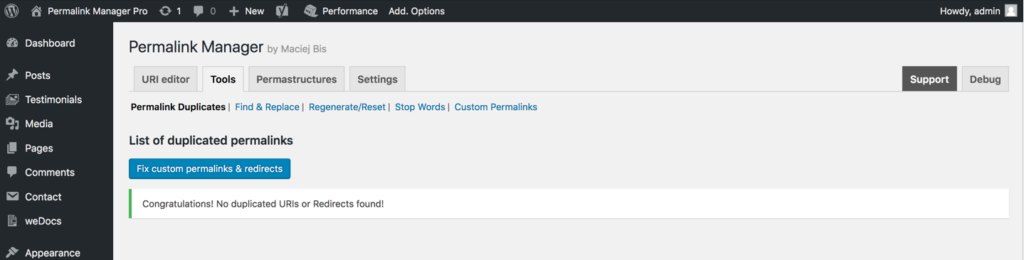
You can view all detected conflicts in a dedicated section, located in the admin panel under "Tools → Permalink Manager → Tools → Permalink Duplicates".
How to Force Unique Custom Permalinks
Permalink Manager includes a built-in functionality to keep your custom URIs unique. You can enable it under "Settings → Advanced Settings → Force unique custom permalinks" section.
When enabled, every new custom permalink is checked automatically. If the plugin detects a duplicate, it adds a numeric suffix such as -2 or -3 and keeps increasing the number until the permalink is unique.
FAQ & Troubleshooting
Why Is WordPress Adding a “-2” to the Slug Even Though the Page Doesn’t Exist?
If you try to use a specific slug, such as /services/, but WordPress changes it to /services-2/ even though no other post or page uses that slug, it means the original slug is already "reserved" in the database. This usually happens in one of three cases:
- Duplicate Post Slug
For non-hierarchical post types, such as posts and products, WordPress checks other items of the same post type for duplicate slugs. For hierarchical post types, such as pages, it checks items with the same parent. Depending on the post type and slug, WordPress may also check for other conflicts. - Trashed Pages and Posts
WordPress does not immediately delete posts and pages when you move them to the Trash. Their records, including thepost_namevalue in thewp_poststable, may remain in the database. - Media Attachments Using the Same Slug
Every image or file you upload to the Media Library is treated as an attachment (built-in post type) and gets its own entry in the wp_posts table just like posts and pages. To fix it, you must find the image in the Media Library and either change its slug or remove it to "unlock" the slug.
Can I Use the Same Slug Across Different Languages? (Polylang & WPML)
Yes, when using WPML or Polylang, Permalink Manager allows you to use the same permalink slug across different language variants of your content.
For example, if you have an English page with the slug "about-us" and try to create a German version with the same slug, WordPress by default would normally change it to "about-us-2".
Using Permalink Manager, you can set identical slugs for different language versions of the same page or post. This means both your English and German pages can use "about-us" as their slug (with the language-specific URLs handled by your multilingual plugin's URL structure, such as "/en/about-us" and "/de/about-us").