Renaming a post slug or changing your permalink structure will inevitably break links that were already pointing to the old URL. Visitors following those links land on a 404 error page, backlinks lose their SEO value, and search engines might stop indexing the page.
There is a built-in solution in WordPress for this, but it is limited to certain situations. In this article, you will learn where it falls short and how to add a custom wildcard redirect function to fix it, without using any additional plugins.
This can be useful when the standard WordPress redirect cannot handle the URL. Old slugs, partial URL matches, or content imported from different CMS platforms can still end up as 404 errors.
This snippet works alongside WordPress's built-in canonical redirect, not instead of it. WordPress handles its own redirect first. The wildcard function only runs when a 404 page still shows up after that.
Why 404 Errors Happen After URL Changes
Each WordPress post has a slug. This is the last part of your post's URL, and it works as a readable label that points to that specific piece of content. If you change the slug, the old URL stops working, unless you set up a redirect.
For example, your post may first be published at:
https://example.com/best-wordpress-redirect-plugins
-2026
If you later change the slug, the new URL becomes:
https://example.com/best-wordpress-redirect-plugins
Without a redirect, the old URL no longer resolves and WordPress returns a 404 error, so any link pointing to it becomes dead.
On small sites, you can manually add redirects to prevent it. Larger WordPress sites, or those that publish and update content often, need a more reliable setup. Without redirects in place, you risk losing search traffic, breaking external links, and giving visitors a poor experience.
Why Not Just Use WordPress's Built-in Old Slug Redirect?
When you rename a post's slug through the editor, WordPress saves the previous value in the database as a hidden post meta field named "_wp_old_slug".
The built-in function wp_old_slug_redirect() then reads that value on 404 pages and redirects accordingly. This works well in most standard setups, but there are a few known limitations worth keeping in mind.
- If a slug is changed outside the WordPress editor, for example through a bulk update tool or a direct database import, WordPress does not record the old slug. The "_wp_old_slug" entry is never created, so the redirect does not fire.
- The redirect also requires an exact URL match. The native lookup checks whether the stored old slug matches the incoming URL precisely. Even a one-word difference is enough for it to fail.
- It also does not apply to content moved from another CMS. If posts were migrated from a different platform, there are no "_wp_old_slug" entries in the database, so WordPress has nothing to redirect from.
When a 404 Redirect Is Useful
Unlike the native WordPress redirect, the wildcard function does not rely on old slugs stored as "_wp_old_slug" meta fields. It simply looks at the URL the visitor requested and tries to find the closest matching published post in the database.
Some common cases include:
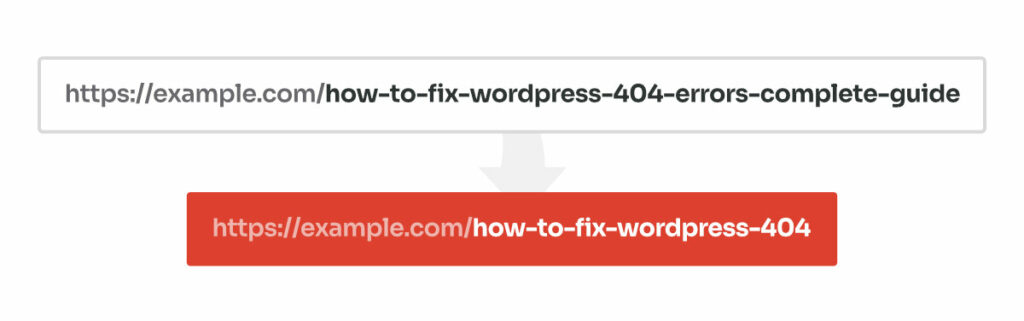
Slug Cleanup
Post titles often get shortened over time, either for readability or to remove words that add little SEO value. When that happens, the original URL stops working and any backlinks pointing to it will land on a 404.
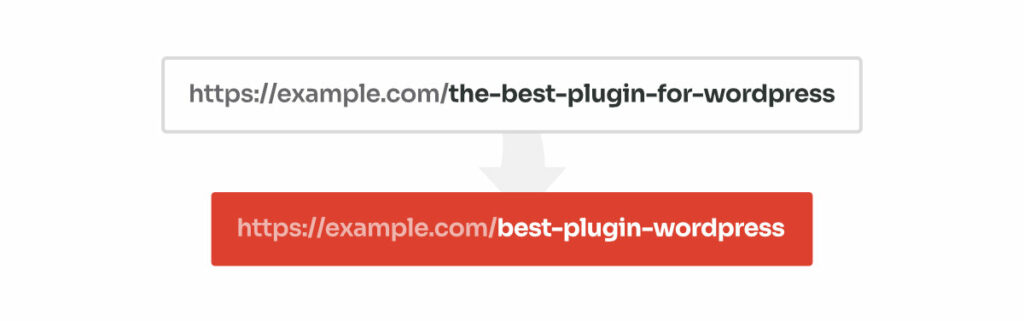
Stop Words Removed
Some plugins and code snippets automatically strip common words like "the", "a", or "in" from slugs at the point of generation. If applied to a site that already has published content, the URLs change without any redirects being set-up for the old links.
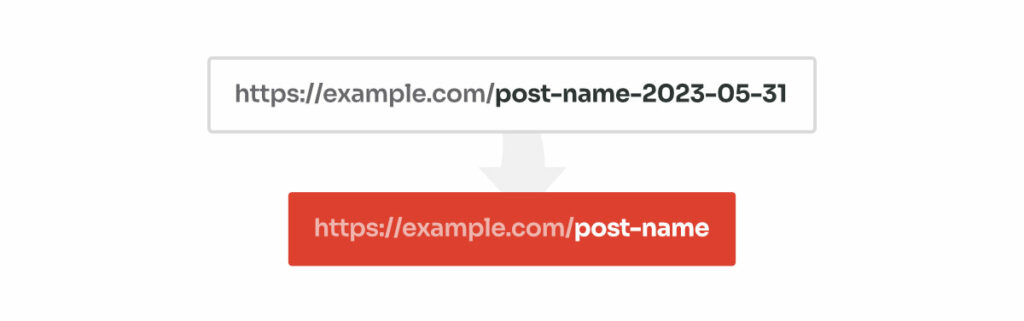
The URL Structure Changed During Migration
During migrations, permalink structures often change. A common example is when the post date gets removed from the URL.
How to Set Up a Wildcard Redirect for 404 Pages in WordPress?
How Wildcard Redirect Works
The snippet attaches itself to WordPress's "template_redirect" hook. This hook fires early in the page-loading process, before WordPress has a chance to display the 404 error page.
When a visitor lands on a broken URL, the following happens in order:
-
The code first confirms the current page is a 404. If it is not, it stops immediately and does nothing. If it is, it parses the requested URL and splits it into individual words.
For example,
category/best-wordpress-redirect-plugins-2023becomesbest,wordpress,redirect,plugins,2023. - Starting with the full slug, WordPress queries the database for a matching published post. If nothing is found, it drops the rightmost word and tries again, repeating this process until a match is found or no words remain:
-
best-wordpress-redirect-plugins-2023 -
best-wordpress-redirect-plugins -
best-wordpress-redirect -
best-wordpress
-
- If a match is found at any point, the visitor is redirect to that post. If all combination fails, WordPress falls back to the standard 404 page.
The Snippet
/**
* Wildcard redirect for 404 pages.
*
* Extracts the last URL segment and tries to find a matching post
* by progressively trimming words from the end of the slug until
* a match is found or no words remain.
*/
function bis_wildcard_redirect() {
	global $wp;
	// Adjust the array
	$post_types = array( 'post', 'page', 'your-cpt' );
	// Only proceed if this is a 404 page
	if ( ! is_404() ) {
		return;
	}
	// Get the full request path (e.g. "category/lorem-ipsum-dolor")
	$request = trim( $wp->request, '/' );
	if ( empty( $request ) ) {
		return;
	}
	// Extract the last segment (slug)
	$segments = explode( '/', $request );
	$slug = end( $segments );
	if ( empty( $slug ) ) {
		return;
	}
	// Break slug into parts (e.g. ["lorem","ipsum","dolor"])
	$parts = explode( '-', $slug );
	// Iterate from longest to shortest possible slug
	while ( count( $parts ) > 0 ) {
		$candidate = implode( '-', $parts );
		// Try to find a post/page by this slug
		$post = get_page_by_path( $candidate, OBJECT, $post_types );
		if ( !empty ( $post->ID ) ) {
			// Redirect to the matched post
			wp_redirect( get_permalink( $post->ID ), 301 );
			exit;
		}
		// Remove last segment and try again
		array_pop( $parts );
	}
}
add_action( 'template_redirect', 'bis_wildcard_redirect' );
What To Keep in Mind
For most standard WordPress setups, this snippet works without any changes needed. Still, two things are worth keeping in mind.
This function works by trimming the slug from the right side, one word at a time. That means it always looks for the longest matching slug first. So if two posts have similar slugs, the more specific one gets matched before the shorter one.
Under the hood, it uses get_page_by_path() to search for posts. You can control which post types it searches by editing the $post_types variable. If two post types have the exact same slug, WordPress picks the first match it finds. For more control over this, consider using custom WP_Query.
FAQ
Does the Wildcard Function Slow Down the Site?
The function only runs on 404 pages, so it has no effect on normal page loads. The database query it performs is lightweight, but on very high-traffic sites with many 404 requests, it is worth monitoring query performance.
What Happens If Two Posts Have Similar Slugs?
The wildcard redirect snippet always tries the longest slug match first. So if your site has two posts,
wordpress-seo
and
wordpress-seo-guide
, a visitor landing on
wordpress-seo-guide-2022
will be redirected to
wordpress-seo-guide
before the snippet checks
wordpress-seo
.
Will This Interfere With WordPress's Built-in Redirect?
No. WordPress runs
wp_old_slug_redirect()
before
template_redirect
fires. The wildcard function only runs if WordPress has already returned a 404, so the two work in sequence rather than competing with each other.
Can I Use This on a WooCommerce Site?
Yes, you can limit the search to specific post types. Just update the
$post_types
array to include only the post types you need. For example:
$post_types = array( 'post', 'page', 'product' );Or, for products only:
$post_types = 'product';
Leave a Reply