With Permalink Manager, you can remove parent slugs from child page permalinks and flatten hierarchical URLs for custom post types & taxonomies directly from the WordPress admin dashboard, without writing any code.
For hierarchical post types and taxonomies, WordPress normally includes the slugs of all parent items in the permalink. A child page, for example, may use a permalink such as /americas/north-america/canada/ instead of simply /canada/.
A hierarchical URL can be useful when the permalink should reflect the relationship between parent and child content. If you prefer shorter URLs, however, WordPress does not provide a built-in option to remove parent slugs from the child permalinks in the admin dashboard.
You can work around this limitation with custom code or a permalink plugin. Permalink Manager lets you remove parent slugs in bulk and automatically redirect the old URLs to help prevent 404 errors and broken links.
How to Flatten Hierarchical URLs
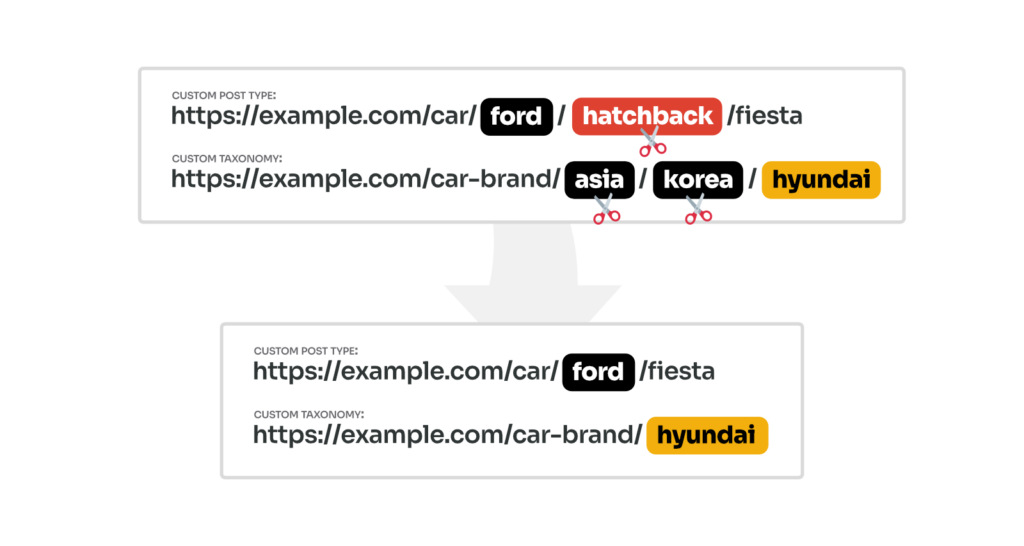
With Permalink Manager, you can adjust URL structure and "flatten" the permalinks in different ways.
- You can also remove all parent slugs from hierarchical taxonomies and post types, like in the second example (
car-brand/).asia/korea/hyundai - You may keep just the top level parent slug for a taxonomy term inside a custom post type item, as shown in the first example (
car/ford/).hatchback/fiesta
Step 1: Change the Permalink Structure
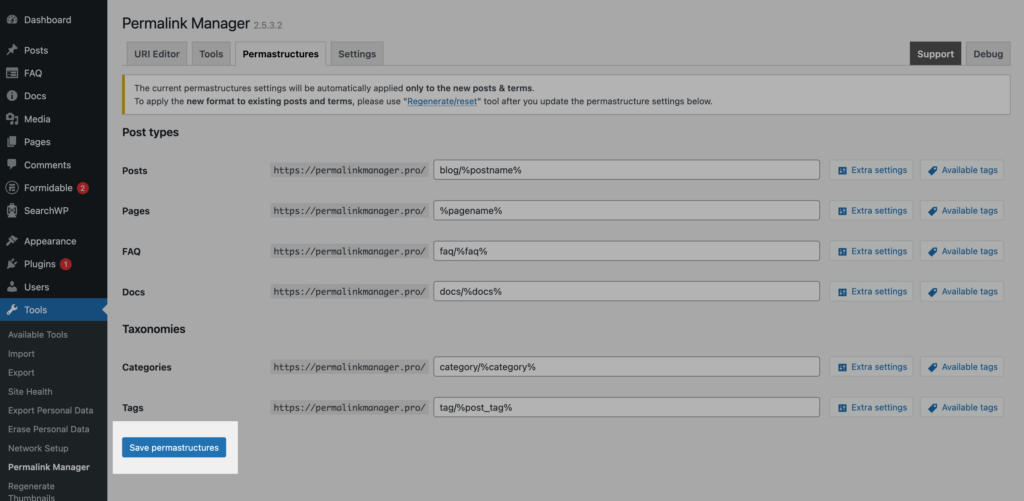
To delete parent slugs and flatten your URLs, you have to use the "Permastructure" editor. You can find it under "Tools → Permalink Manager → Permastructures".
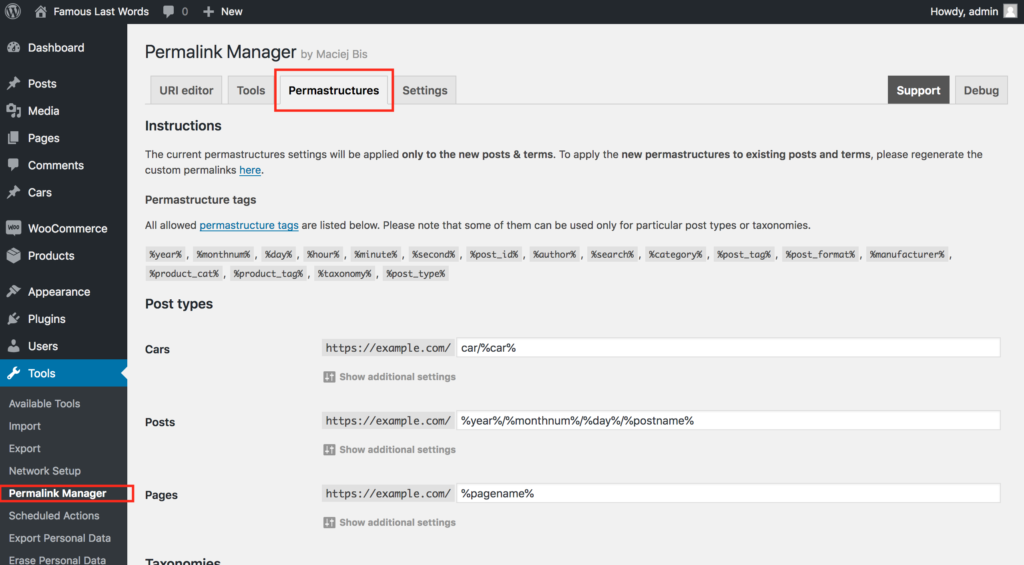
Scroll to the post type or taxonomy you want to edit and change the permalink structure if needed.
- If you want to flatten hierarchical custom post types or taxonomies, follow step 2A.
- If you want to remove custom taxonomy slugs from single URLs of custom post types, follow step 2B.
Step 2A: Remove Parent Slugs From Custom Post Types/Taxonomies
When you open the Permastructures editor, each content type should have its own permastructure tag. This tag is replaced by the actual slug of content item. If the item has parents, their slugs are included too.
Pages use %pagename%. Custom post types use %{custom-post-type-name}%, for example %car%. Categories and custom taxonomies follow the same rules.
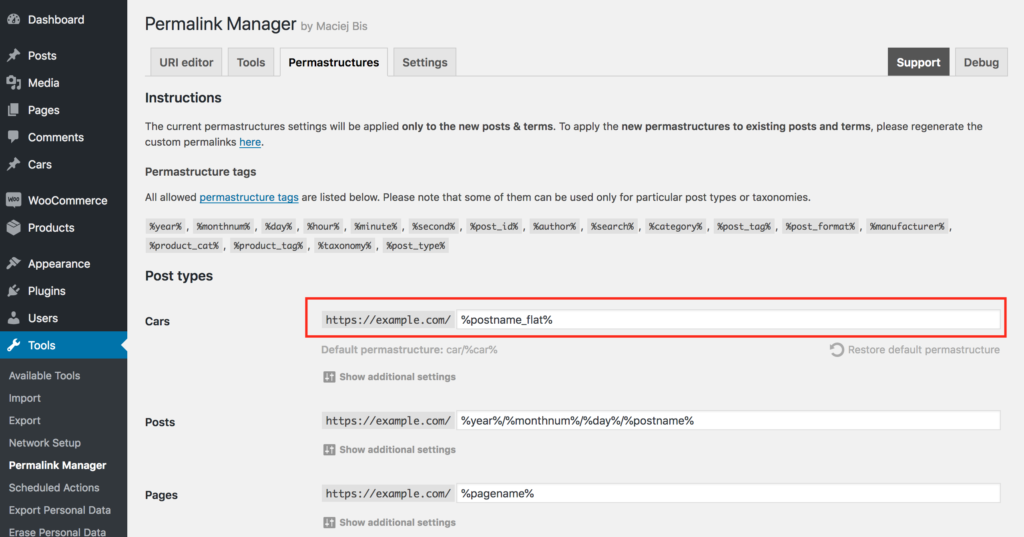
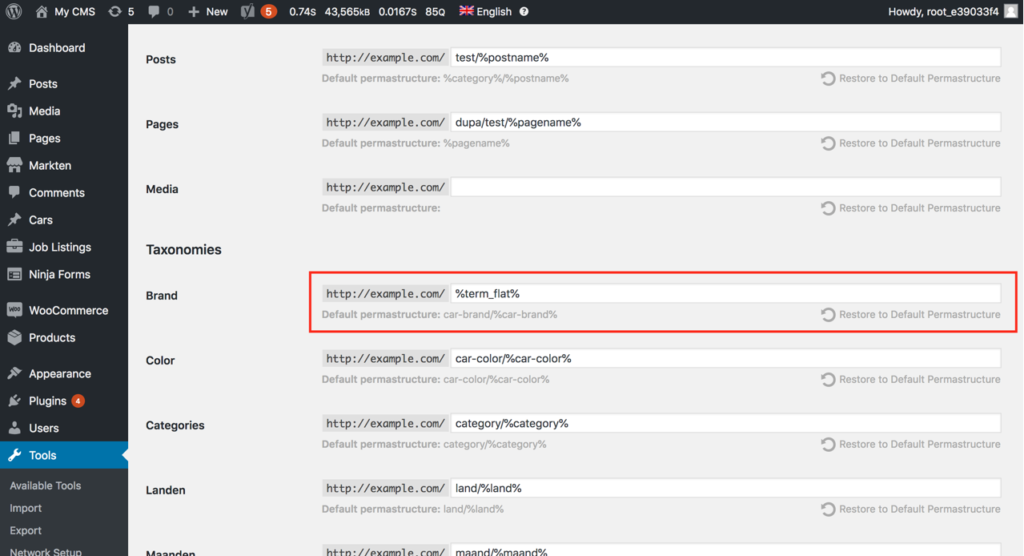
If you want the permalink to flatten the permalink and skip parent slugs, simply add "_flat" to the permastructure tag. Use these formats:
Pages & Custom Post Types
%page_flat%for pages%{custom-post-type-name}_flat%(e.g.%car_flat%) for custom post types
Alternatively, you can also use %postname_flat% for custom post types.
Categories & Custom Taxonomies
%category_flat%for categories%{custom_taxonomy_name}_flat%for custom taxonomies
Alternatively, you can also use %term_flat% for custom taxonomies.
Step 2B: Remove Parent Taxonomy Slugs From Custom Post Type Items' URLs
If you use Permalink Manager to add taxonomy slug to custom post type URLs, the plugin respects hierarchical taxonomies, so if the selected term has a parent, the post's permalink includes the child slug and all parent slugs.
If needed, you can choose either the top-level term's slug or the bottom-level term's slug for that post's permalink.
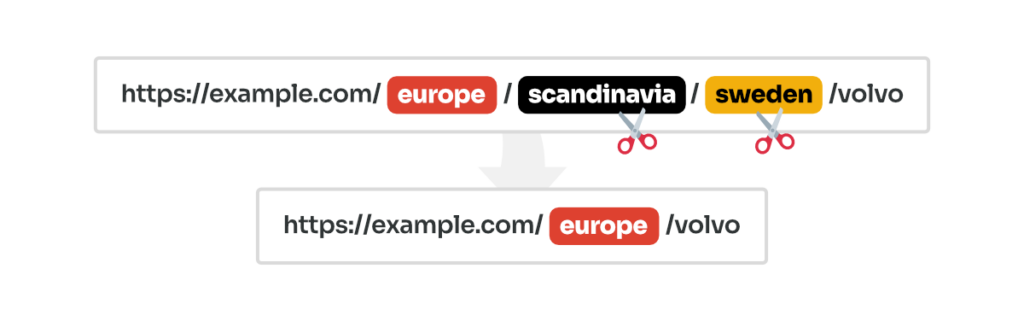
Use Top-Parent Term
The first method for removing the hierarchy of the related taxonomy term is to use just the slug of the top-parent term by appending "_top" to the end of the taxonomy tag (e.g. %location_top% instead of standard %location% tag).

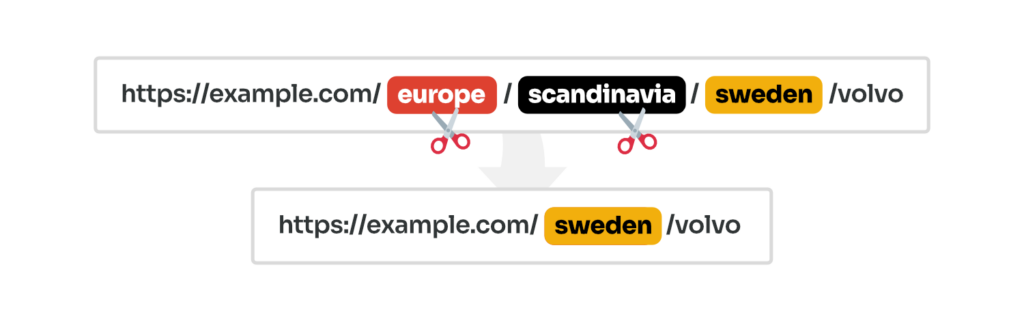
Use Lowest-Level Term
Alternatively, you may flatten the taxonomy tag hierarchy using only the slug of the lowest-level term by appending "_flat" to the end of the tag (e.g. %location_flat% instead of standard %location% tag).

Step 3: Save and Update Existing Permalinks
After editing the Permastructures, scroll to the bottom of the page. Click the "Save permastructures" button to save your new settings.
To apply the modifications to existing URLs, you must "regenerate" them.
Hierarchical vs Non-Hierarchical Content Types in WordPress
What Are Hierarchical Post Types and Taxonomies?
A hierarchical post type is one in which each of its single items can have a parent and one or more children. It is very much like how WordPress's pages work.
Here is a simple example of how you might organize a website with this type of content. Imagine you need to list all your company locations on the website:
- Start with a top-level item such as "Americas".
- Add a parent page named "North America".
- Then, you place a child page named "Canada" right under it.
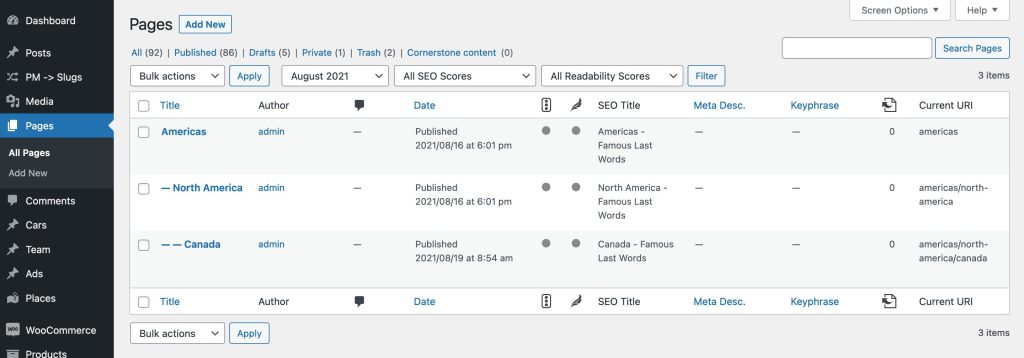
Their permalinks will reflect this hierarchy and include both the parent and the child slugs. The more parents a post or term has, the more parts its permalink will have.
This often helps SEO, since the URL clearly shows the content structure for search engines and for visitors:
Hierarchical post type (location):
http://example.com/americas/
http://example.com/americas/north-america/
http://example.com/americas/north-america/canada/
What Are Non-Hierarchical Post Types and Taxonomies?
Non‑hierarchical post types and taxonomies have a flat structure. Besides standard posts, WooCommerce products are another excellent example of non-hierarchical content types.
None of these have parents or children. Each one exists on a single, flat level.
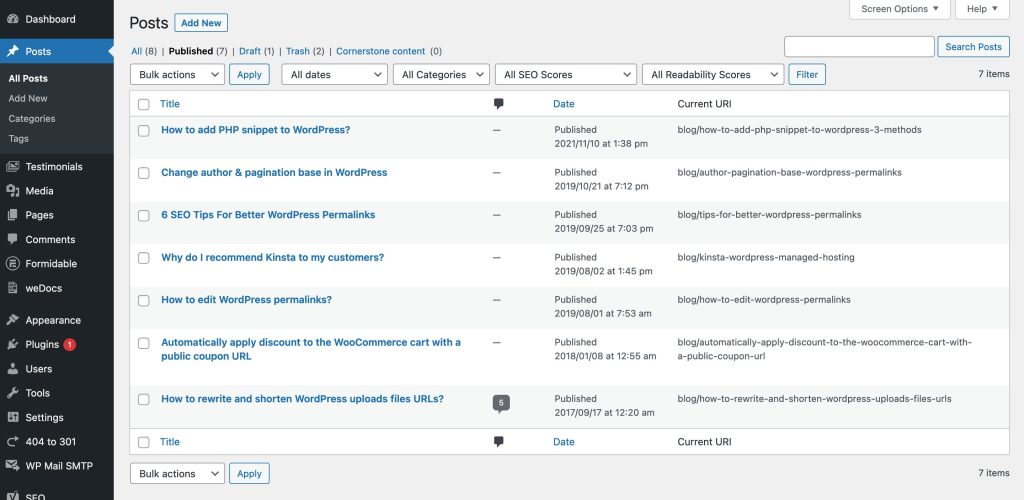
This simple structure works well when you do not need a hierarchy. For example, in a blog with tutorial articles, each post is separate, with no nested posts or subpages:
Non-hierarchical post type (article):
http://example.com/how-to-add-php-snippet-to-wordpress/
http://example.com/change-author-pagination-base-in-wordpress/
http://example.com/6-seo-tips-for-better-wordpress-permalinks/
FAQ
What Happens to My Old URLs After I Remove the Parent Slugs?
If you do not regenerate permalinks, your old URLs remain exactly as they were with parent slugs included. By default, Permalink Manager only applies new permalink rules to content you create from now on.
Once you do regenerate, the plugin keeps the previous URLs working by setting up automatic redirects, so visitors and search engines are sent to the new location without hitting a dead end.
Does This Work With WooCommerce, Custom Post Types, and Taxonomies?
Yes. The plugin supports any custom post type or taxonomy that is properly registered in WordPress. This includes WooCommerce permalinks, as well as post types added by real estate plugins, job boards, or portfolio tools.
If the content type appears in your WordPress dashboard, it will appear in the Permastructures editor. You can apply the same flat tags like %product_cat_flat% or %job_listing_flat% to them the same way you would for native WordPress pages or categories.
Can You Remove Parent Slugs In WordPress Without a Plugin?
No. WordPress built‑in permalink settings cover only standard content types like posts and categories. They do not allow you to remove parent slugs or create fully custom structures for custom post types and taxonomies.
You cannot flatten hierarchical URLs or combine taxonomies with post permalinks using native options. To do this, you need a permalink plugin or a code snippet that changes the default permalink behavior.
Permalink Manager includes a visual “Permastructures” editor. It allows you to control the URL format for every content type. This makes it possible to remove parent slugs and add taxonomy terms.