WordPress lets you change the URL slug for posts, pages, categories, tags, and custom post types right from the admin dashboard. You do not need to install any extra plugin.
Below you will find all the ways to update slugs in WordPress, from posts and pages to custom post types and taxonomies.
If you are working on a large site and need to check many URLs quickly, the admin dashboard is not always the best tool. The second part goes a bit deeper and shows you where WordPress keeps slugs in the database, along with some simple SQL queries to help you work with them in bulk.
Where to Edit Slugs in WordPress
In most cases, you can change a post or page slug without losing visitors from old bookmarks or links. WordPress has a built-in mechanism that tracks previous slugs and auto-redirect visitors from old URLs with them.
Still, the built-in redirect feature does not cover all cases. If you need more control over how old and canonical URLs are handled, you can read more in our dedicated guide on canonical redirect in WordPress.
Posts, Pages and Custom Post Types
Classic Editor
If you are using the Classic Editor, you can change it by clicking the small "Edit" button just below the title.


Gutenberg (Block) Editor
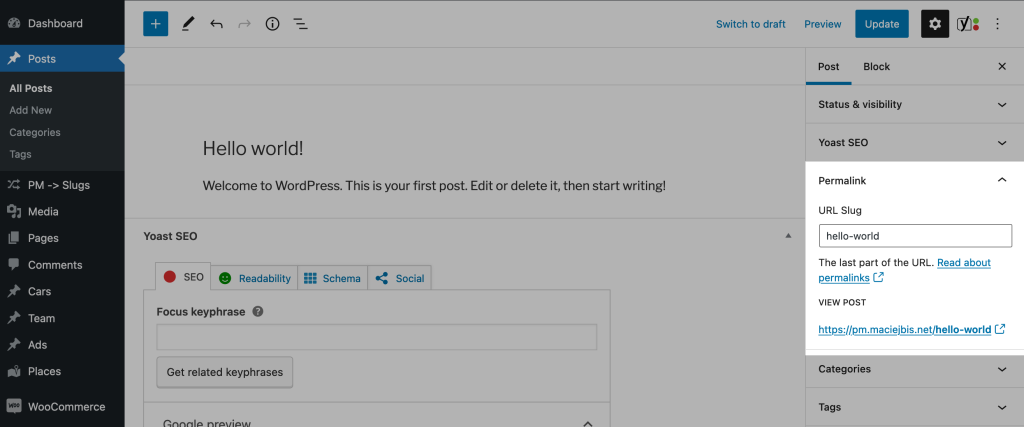
To change a slug in Block Editor (Gutenberg), use to the "Permalink" section in the sidebar.
Via "Quick Edit"
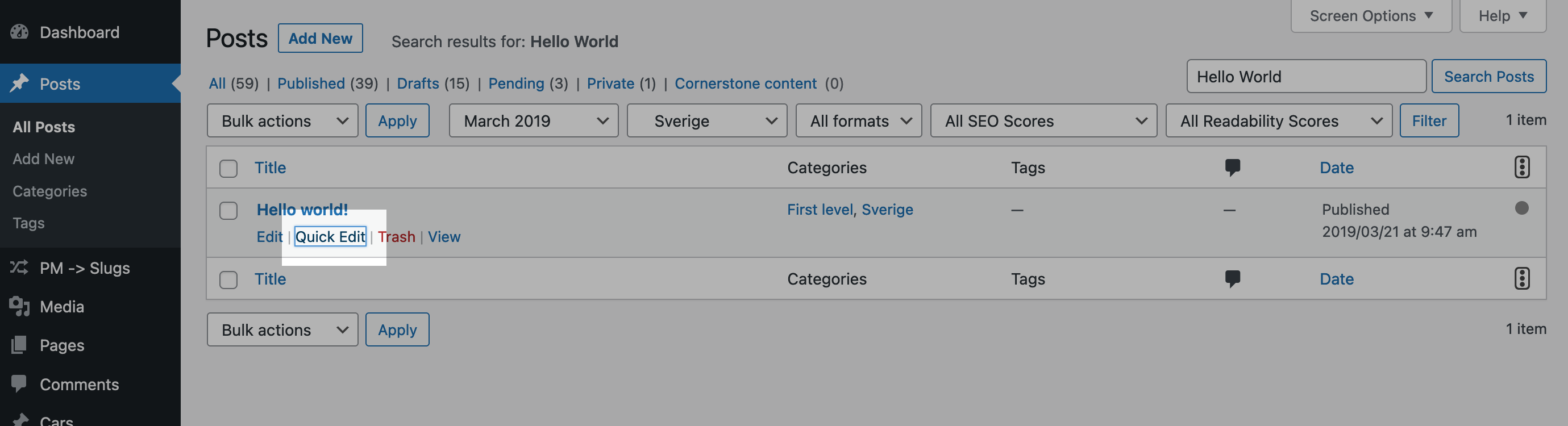
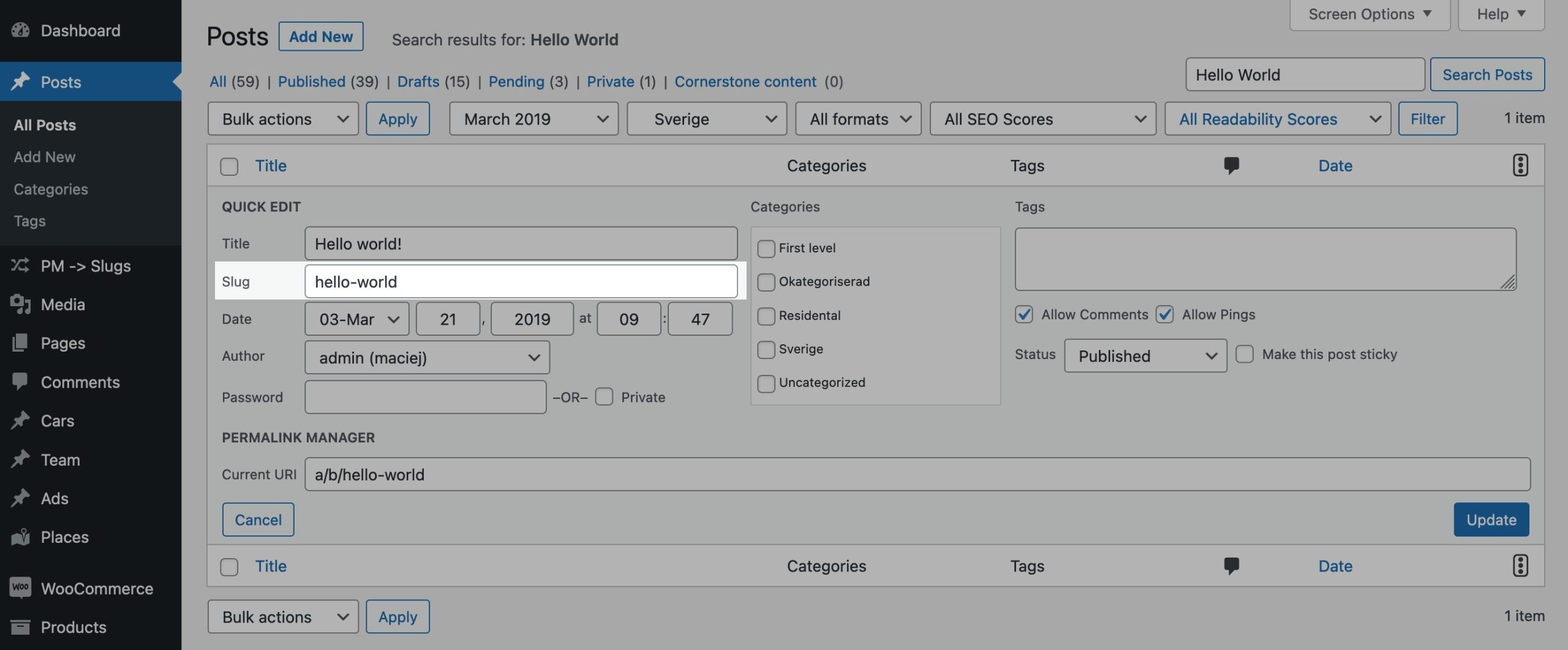
If you want to quickly change a post’s slug, there is a simple shortcut you might not know. In the posts/categories list, click "Quick Edit" under the title, and you will see a field where you can edit a slug.
Categories and Custom Taxonomies
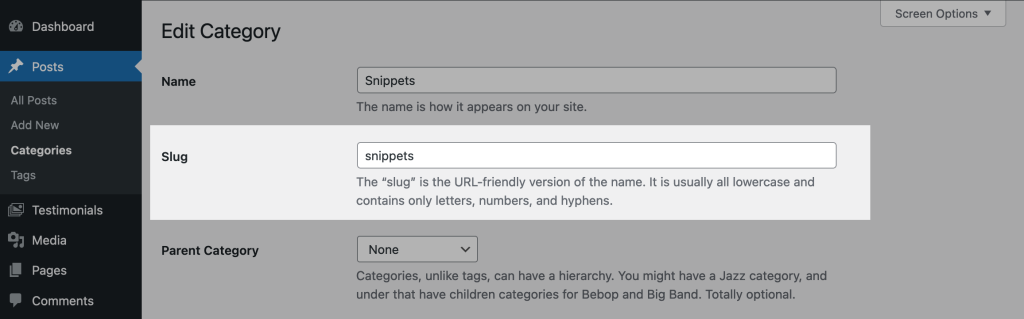
When you edit categories, tags, or custom taxonomy items in WordPress, you will see a slug field on the same page where you change the title and other details.
What Is the Difference Between a Slug and a Permalink?
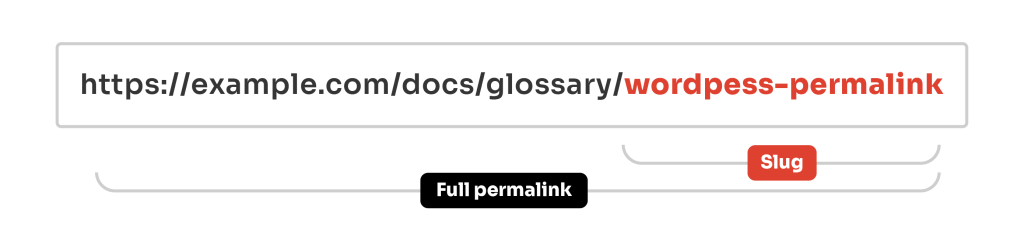
In WordPress, permalink and slug are not two names for the same thing:
- The permalink is what the visitor sees and what search engines index.
- The slug is the final part of that URL. It identifies the specific post, page, or term within your site.
If you change a post's slug from
old-slug
to
new-slug
, the permalink changes immediately. What is less obvious is that the permalink can change while the slug stays exactly the same.
This often happens after changing the WordPress permalink settings. After this change, all post permalinks use the new URL format, while the original slugs stay exactly the same in the database.
How to Programmatically Change How WordPress Creates Slugs?
WordPress generates slugs automatically from titles using the
wp_unique_post_slug
function. If you want to override this, e.g. to limit slug length, strip specific words, or apply a custom format, you can easily change this with extra code snippet.
Below is one example of how to do this for posts and pages. The code limits new slugs to 4 words:
function pm_slug_limit_words( $slug, $post_id, $post_status, $post_type, $post_parent, $original_slug ) {
	// The new slug's max. word count can be changed below
	$max_words = 4;
	if ( is_numeric( $post_id ) ) {
		$post = get_post( $post_id );
		// Stop if the slug for this post was already generated
		if ( ! empty( $post->post_name ) ) {
			return $slug;
		}
		if ( ! empty( $slug ) && substr_count( $slug, '-' ) + 1 > $max_words ) {
			$words = explode( '-', $slug );
			$slug = implode( '-', array_slice( $words, 0, $max_words ) );
		}
	}
	return $slug;
}
add_filter( 'wp_unique_post_slug', 'pm_slug_limit_words', 100, 6 );
You could adapt the same hook to remove stop words, force lowercase, append a date prefix, or apply any other custom logic. For terms (categories, tags, and custom taxonomies), you would use the
wp_unique_term_slug
filter instead.
Where Does WordPress Store Slugs in the Database?
In WordPress, slugs are stored in different database tables depending on the content type:
- For posts, pages, and custom post types, the slug is saved in the "post_name" column of the wp_posts table.
- Categories, tags, and other taxonomy terms store their slugs in the "slug" column of the wp_terms table.
While they are usually managed through the admin interface, they can also be accessed directly from the database. This is often used for debugging, migrations, or advanced custom workflows.
How to Get Slugs Using SQL?
The following example is set up for standard posts. If you are working with a custom post type, update the post_type value to match its name, such as "product" in WooCommerce.
SELECT post_name FROM wp_posts
WHERE post_type = 'post';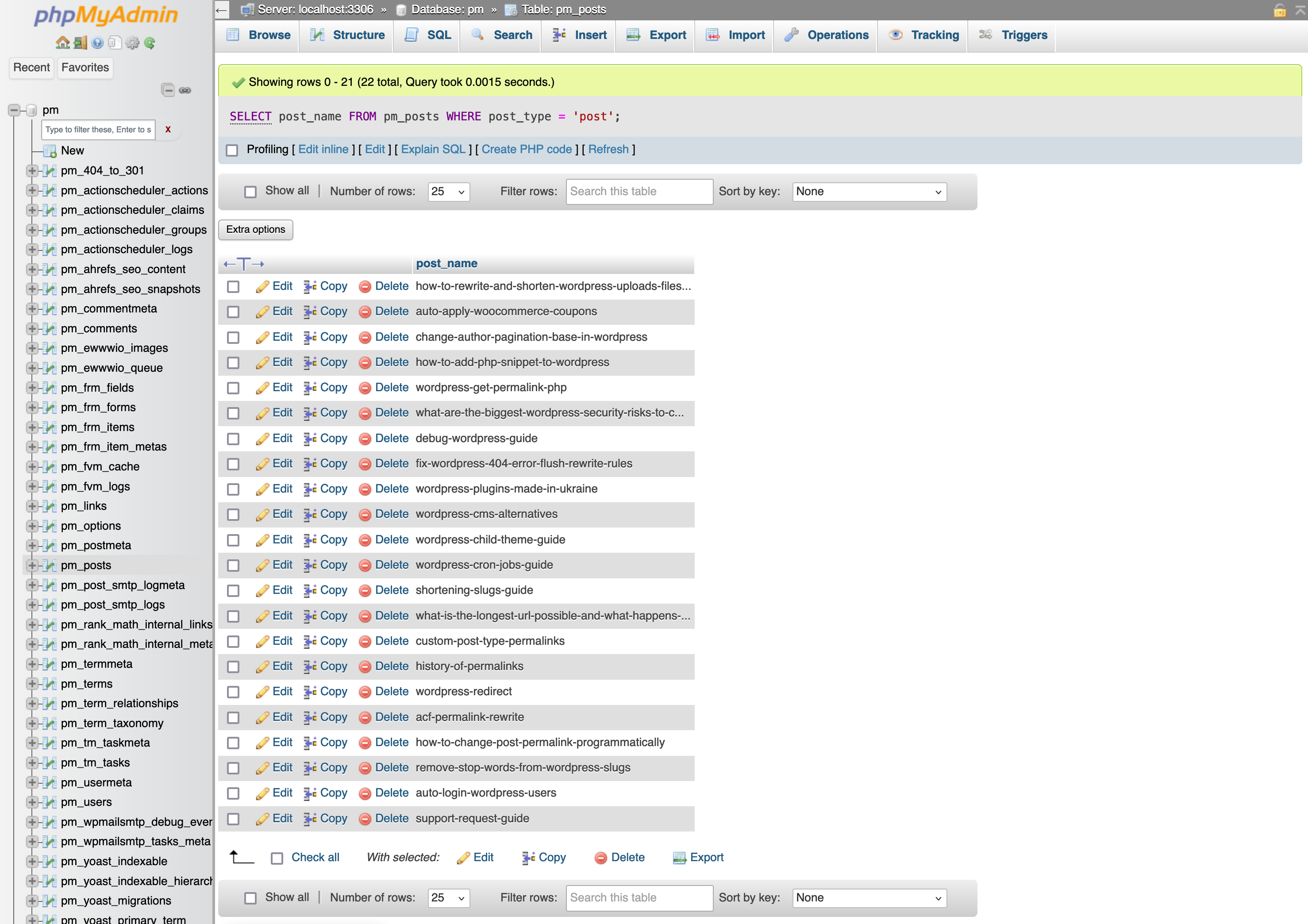
To get the slugs for a taxonomy such as "product_category", you can use the following SQL query.
SELECT slug FROM wp_terms AS t LEFT JOIN wp_term_taxonomy AS tt ON t.term_id = tt.term_id
WHERE tt.taxonomy = 'product_category'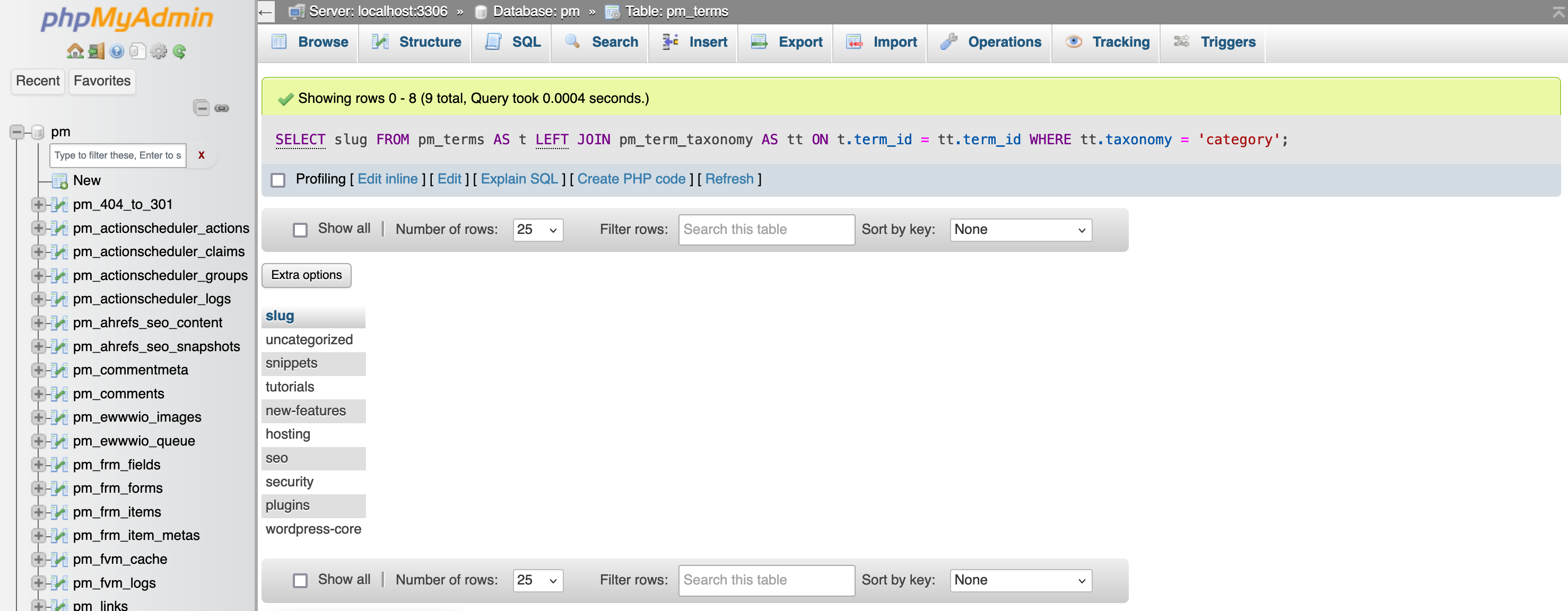
How to Find the Longest Slugs in the DB?
WordPress does not show a warning when a slug becomes too long. If you need to quickly find all posts and pages where the title is too long, you can use this simple SQL query.
SELECT ID, post_title, post_name, CHAR_LENGTH(post_name) AS slug_length
FROM wp_posts
WHERE post_status = 'publish'
AND post_type IN ('post', 'page')
ORDER BY slug_length DESC
Find Empty or Missing Slugs
Every post should have a post_name, but this does not always happen. Imports, migrations, and buggy plugins are common reasons why the field ends up empty. The SQL query below lets you find and correct all such posts in one go.
SELECT ID, post_title, post_status, post_type, post_date
FROM wp_posts
WHERE post_name = ''
OR post_name IS NULL
ORDER BY post_date DESC;
Leave a Reply