Permalink Manager complements SEO plugins instead of replacing them. It supports the core features of the most widely used WordPress SEO plugins, including Yoast SEO, Rank Math, SEOPress, Slim SEO, and The SEO Framework.
Custom permalink and SEO plugins serve different purposes. Permalink Manager replaces WordPress' built-in permalink system with fully customizable permalinks. SEO plugins generate metadata, sitemaps, breadcrumbs, canonical URLs, and provide content analysis and other useful features.
When Permalink Manager is active, it automatically updates the custom URLs used within your SEO plugin. This includes canonical URLs, breadcrumbs, and XML sitemaps, ensuring that these elements always reference the current custom permalink.
Breadcrumbs Support
Permalink Manager replaces original (native) URLs in breadcrumb navigation with custom permalinks, and this works in most plugins, not just the ones listed below.
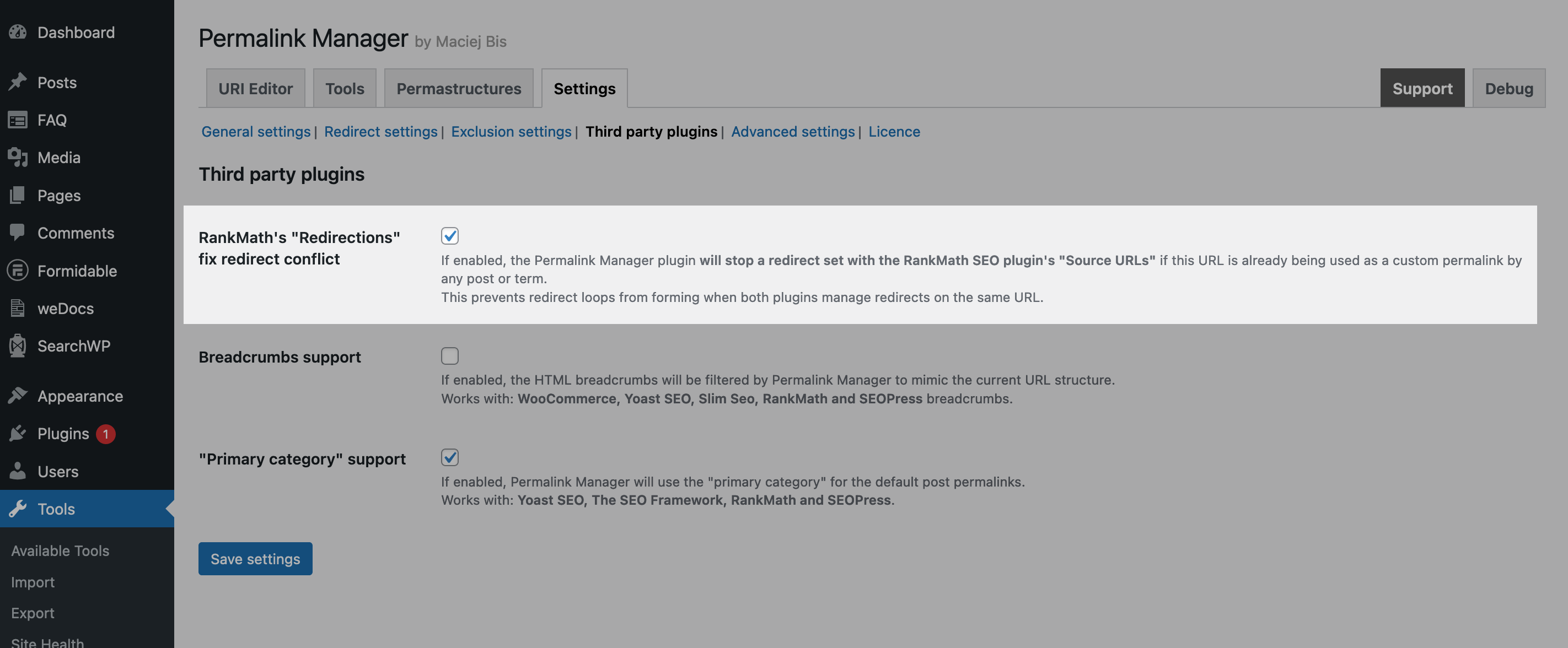
By default, Permalink Manager changes only the URLs while leaving the breadcrumb structure untouched. If you prefer breadcrumbs to reflect your custom permalink structure, enable the "Breadcrumbs support" option in the "Third-party plugins" section of the plugin settings.
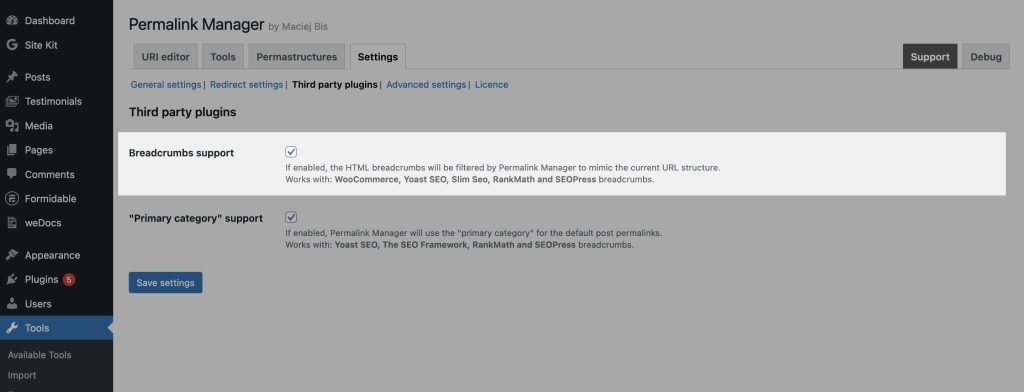
Permalink Manager allows to filter breadcrumbs generated by the most popular WordPress SEO plugins. Currently, Permalink Manager supports the following plugins:
- WooCommerce
- Yoast SEO
- Rank Math
- Slim SEO
- SEOPress.
The implementation covers typical use cases, though behaviour may vary between plugins due to their individual breadcrumb structures. If your preferred plugin is not on the list above, Permalink Manager cannot adjust its breadcrumb trail.
How It Works?
When breadcrumb support is active, the Permalink Manager updates the breadcrumb trail to reflect the current permalink structure. For example, if you edit your permalinks to add or remove parent slugs, the hierarchy shown in the breadcrumbs will match the one in your URLs.
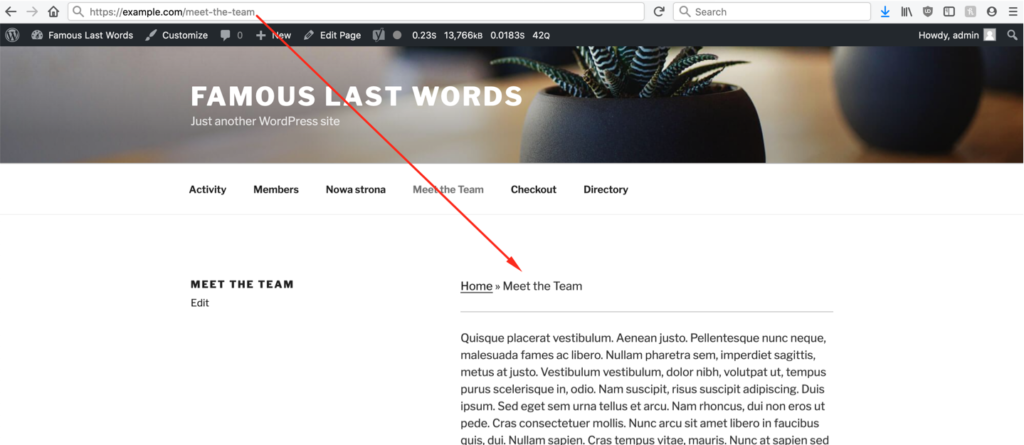
To show how this works, here is a comparison of breadcrumbs before and after the custom permalink changes.
When a custom permalink contains only the page slug, no parent items are shown in either the URL or the breadcrumb trail.
Once you add the parent slugs (members/directory) to the custom permalink, the matching breadcrumb items appear in the trail.
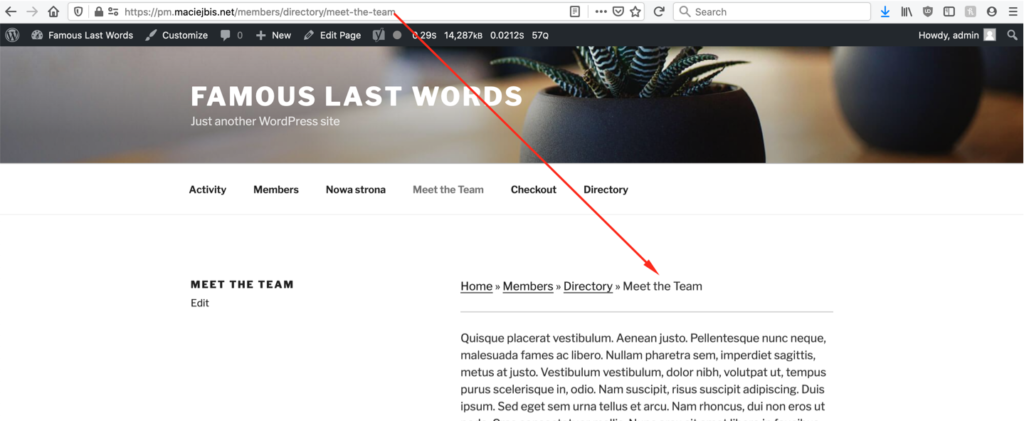
Keep in mind that this works correctly only if every intermediate slug matches an existing post, page, or term.
"Members" will be included only, if https://example.com/members URL exists.
"Directory" will be included only, if https://example.com/members/directory URL exists.
Primary Category Support
By default, the Permalink Manager plugin uses the primary category or taxonomy term selected via Yoast SEO, The SEO Framework, Rank Math, SmartCrawler, All In One SEO Pro or SEOPress when generating custom permalinks.
This applies both to category slugs in post permalinks and to custom taxonomies included in custom post type permalinks.
How It Works?
When a primary category is set, and its taxonomy tag is included in the Permastructure settings (for example, %category% for post categories or %product_cat% for product categories), the plugin uses that primary category to generate the custom permalink.
Top-Level Primary Category Selected
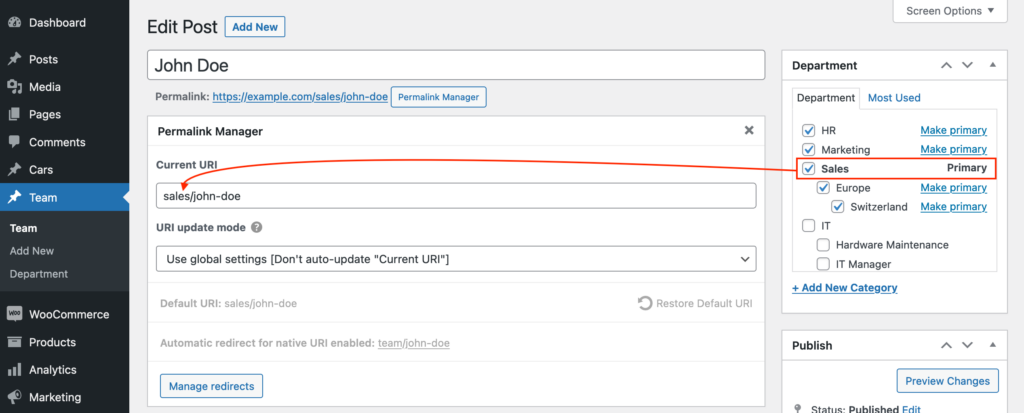
When a top-level category such as "Sales" is set as the primary category, the permalink contains that term's slug only. Subcategories assigned to the same post, such as "Europe" or "Switzerland", are omitted.
Lowest-Level Primary Category Selected
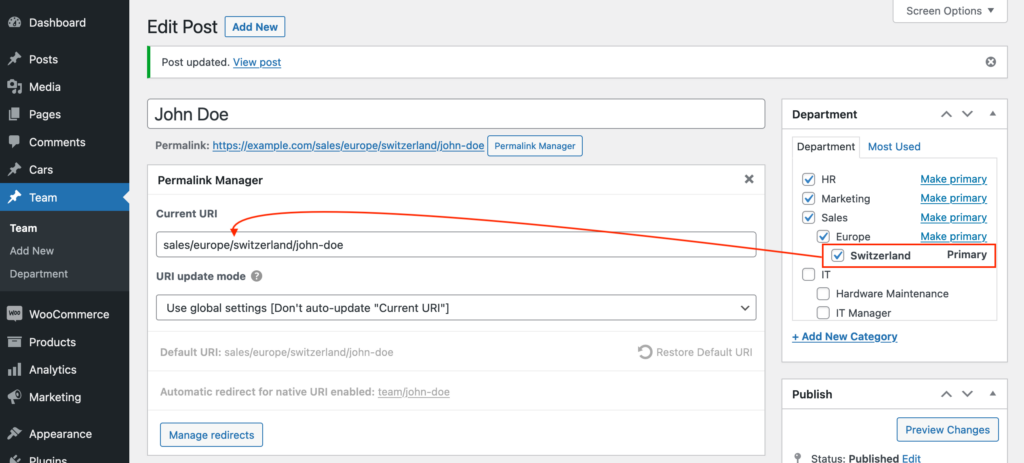
When a lowest-level term such as “Switzerland” is selected as the primary category, Permalink Manager adds the slugs of all parent terms to the custom permalink.
The same behavior applies when no primary term is selected or when primary category support is disabled. In such cases, the plugin uses the lowest-level assigned term together with its parent terms by default.
How to Disable “Primary Category” Support?
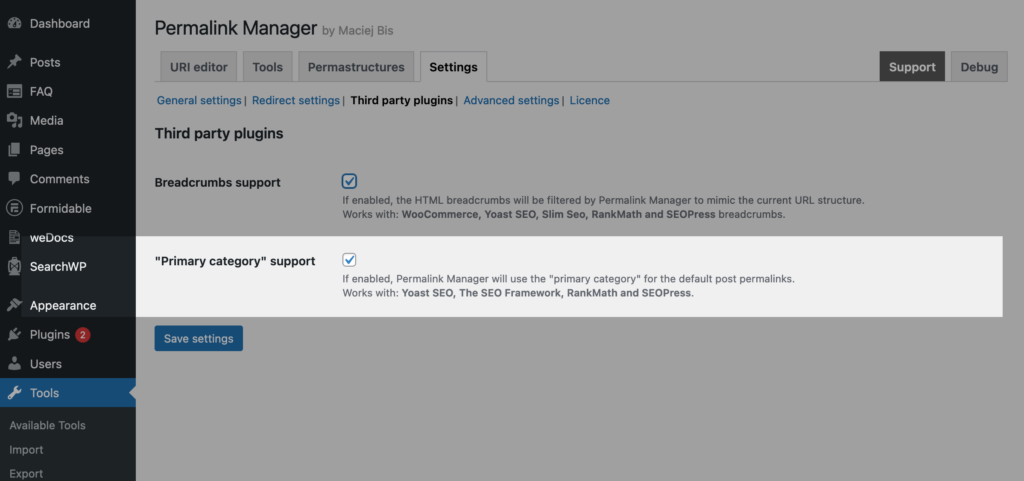
If necessary, you can turn off "Primary category" support in the plugin settings. Once disabled, the plugin will create custom permalinks based on the lowest-level category in the hierarchy, including parent categories when available.
Rank Math's Redirections
If a source URL used in a Rank Math redirect is already assigned as a custom permalink to any content item, Permalink Manager will block that redirect by default to prevent redirect loops.
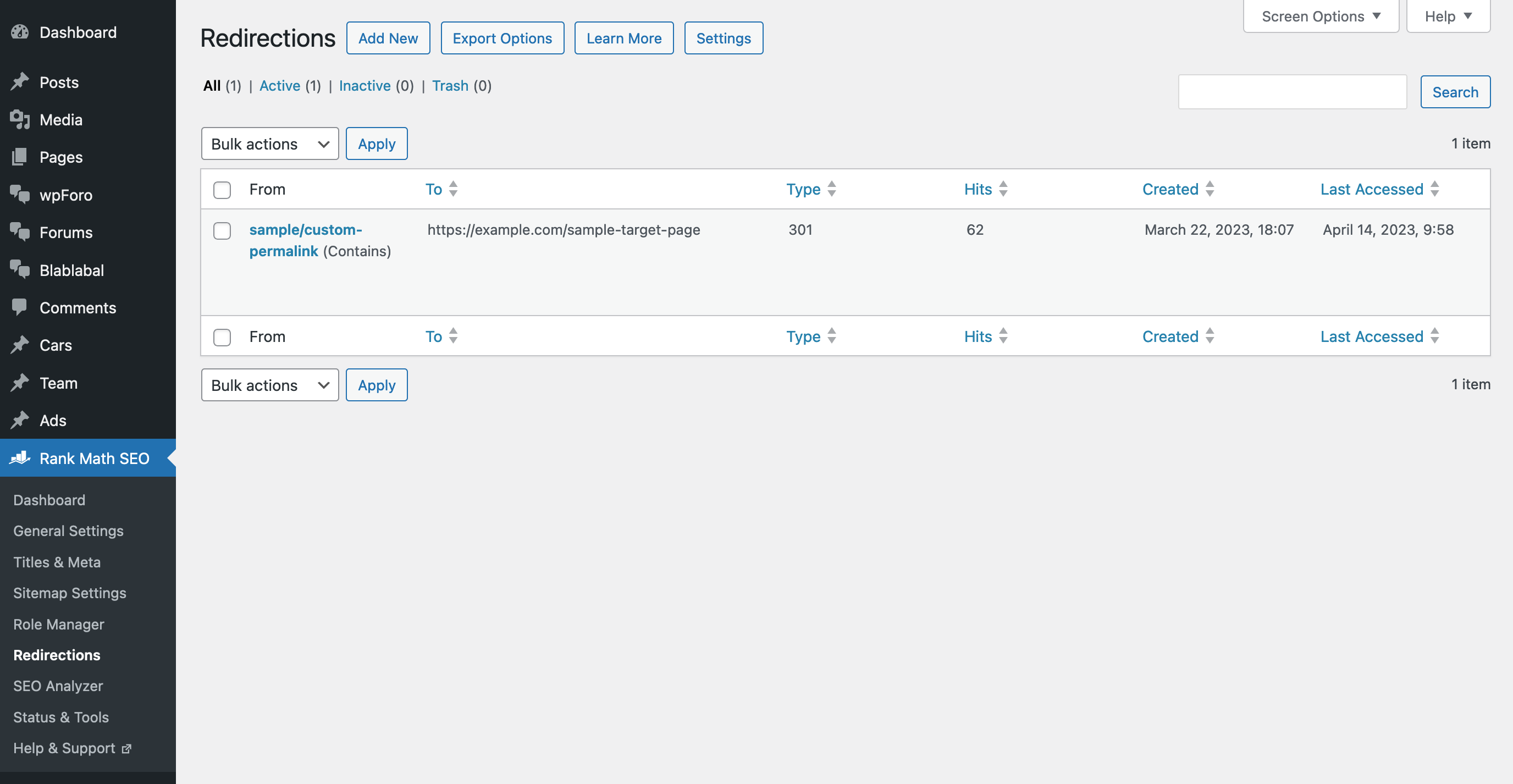
To disable the safeguard, you have two ways to allow this and allow Rank Math to trigger its redirect:
- Exclude the ID of the item whose URL should be redirected.
- Turn off the "Rank Math's "Redirections" fix redirect conflict" option in the Permalink Manager settings.
FAQ
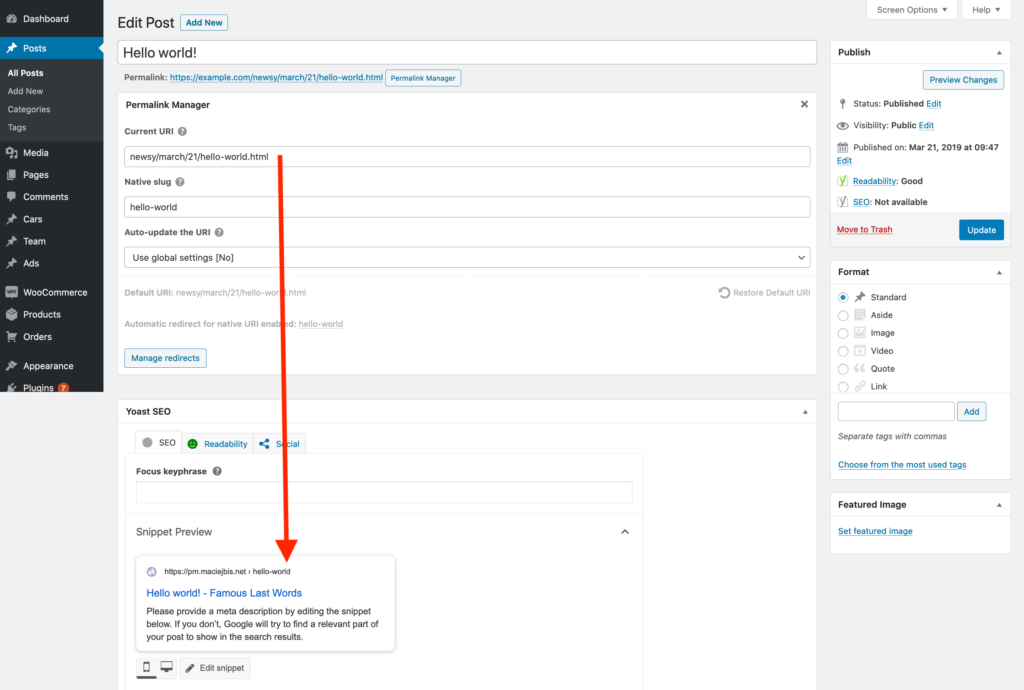
Why Yoast SEO/Rank Math Displays Different URL in Its Metabox?
Both Yoast SEO and Rank Math use the native slug to provide the URL preview in its metabox. Currently, there is no technical possibility to make it show the custom permalink established using Permalink Manager.
Nevertheless, this issue affects only the metabox displayed solely in admin panel. All URLs (including canonical meta tags and sitemaps created by Yoast SEO) are properly filtered by Permalink Manager.
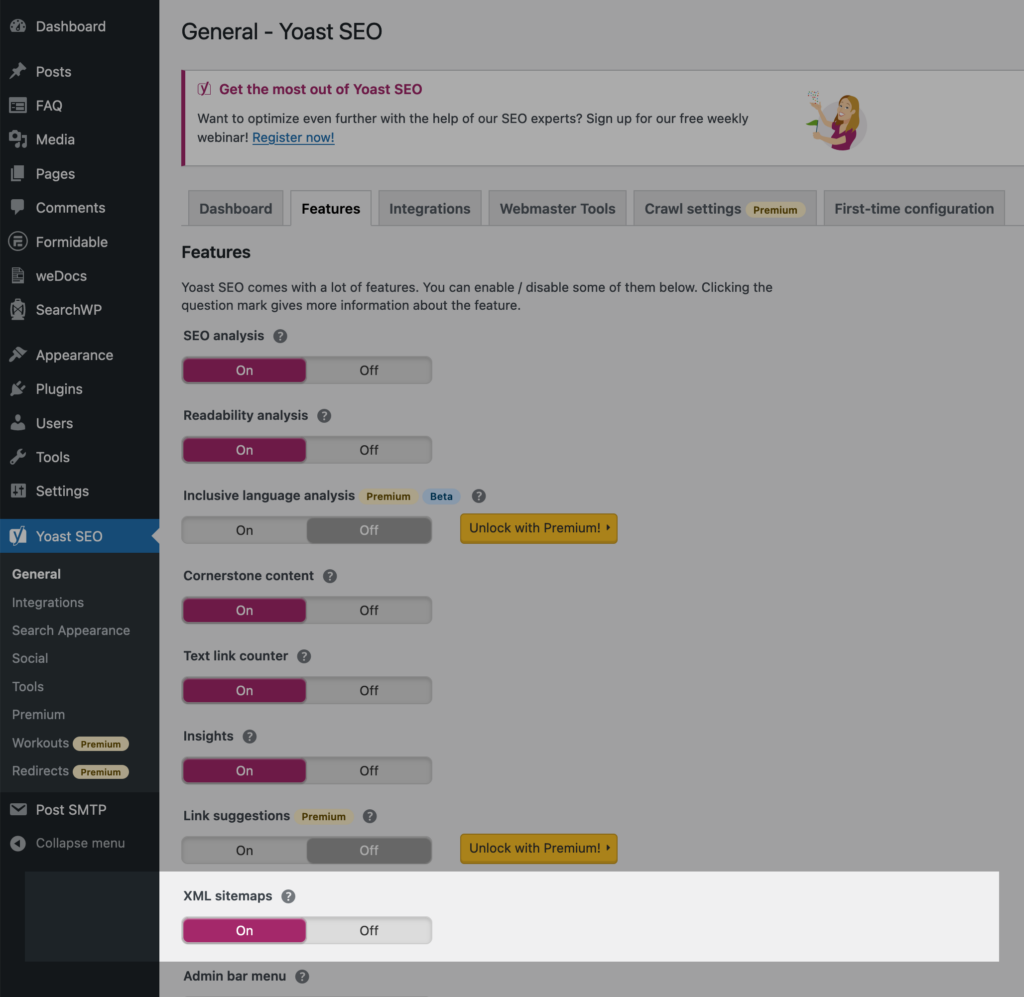
Why Does Yoast SEO Still Show Original Permalinks in the Sitemap?
Because creating sitemaps is a resource-intensive process, especially for large websites, your server or third-party plugins (eg. WP Rocket, Litespeed) may cache data. This implies that even after you change the custom permalinks, Yoast SEO may still display them in their previous version due to the cache.
You may force a sitemap update by turning it off in Yoast SEO settings, clearing the cache, and then turning it back on. More information about this issue may be found in Yoast's plugin documentation.