Permalink Manager Pro uses Paddle.com to handle all payments, invoices, and tax collection.
Paddle acts as a merchant of record, which means your purchase is technically made through Paddle rather than directly from the plugin developer. This setup keeps the checkout process secure and makes tax compliance straightforward for customers in most countries.
Permalink Manager Pro is a one-time purchase. There are no automatic renewals and no recurring charges. Once you buy a license, you will not be billed again unless you choose to renew or upgrade manually.
If you purchase a one-year license and it expires, the plugin continues to work. You just lose access to updates and support until you renew.
How to Purchase a License Key?
No account registration is needed before purchasing. To get your license key:
- Go to the "Pricing" page and select the license variant that fits your needs.
- Click "Get Permalink Manager Pro" button to open the checkout.
- Enter your email address (and if applicable, VAT info to deduct the VAT/sales tax) and complete the payment.
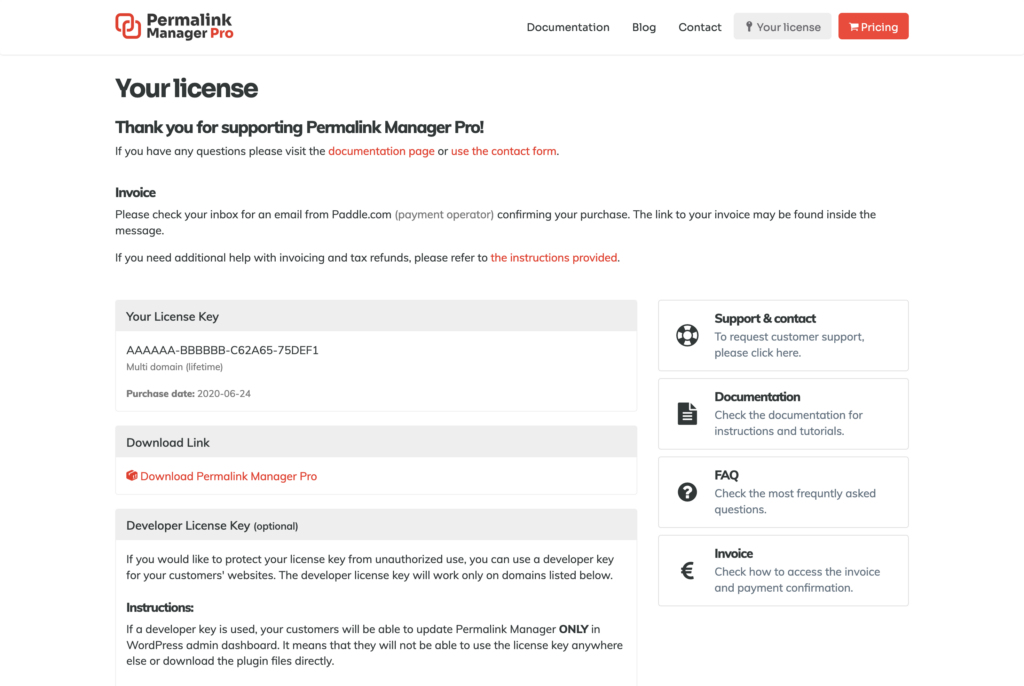
After a successful payment, you will land on a confirmation page where your license key is displayed. Paddle will also send a separate email to the address you provided. That email contains your order confirmation and a link to your invoice.
How to Get Your Invoice?
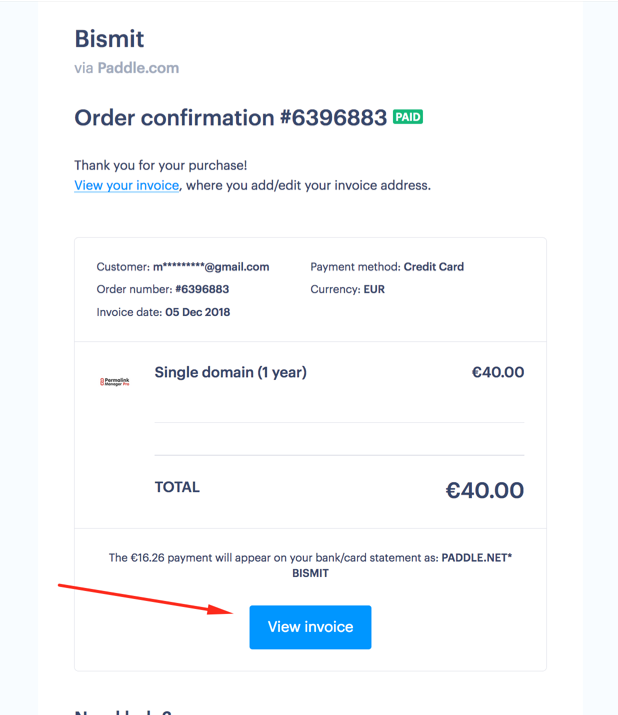
After purchasing a new license key or upgrading/renewing an existing one, Paddle.com will send you a separate email. This email contains an order confirmation as well as a link to create the invoice for your transaction.
To generate your invoice, please open it email and click the "View invoice" button in the bottom area.
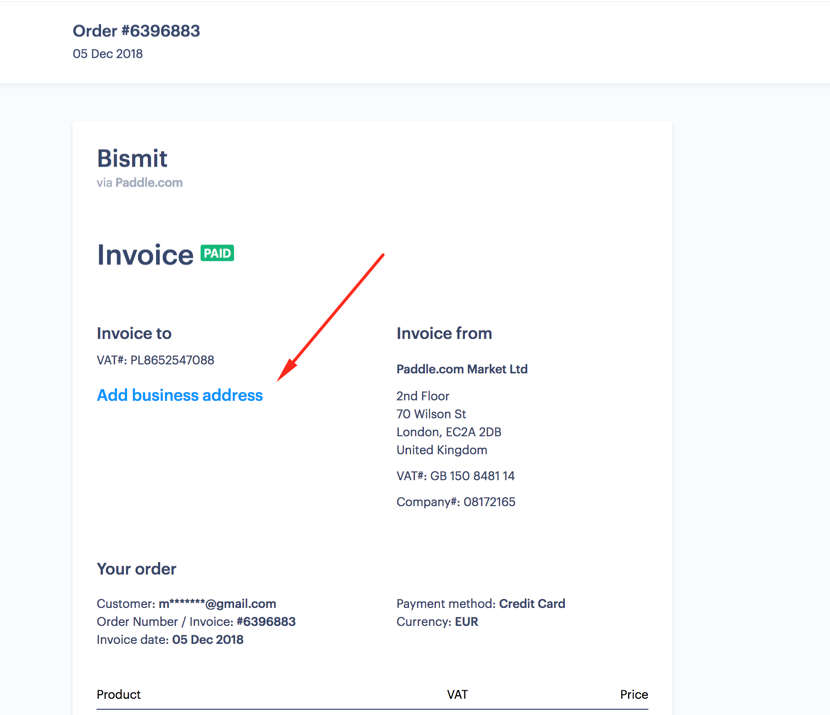
After clicking it, you will be sent to a dedicated billing page, as seen below. From there, you may add your business information and print your invoice (or print it to PDF).
How to Renew or Upgrade Your License
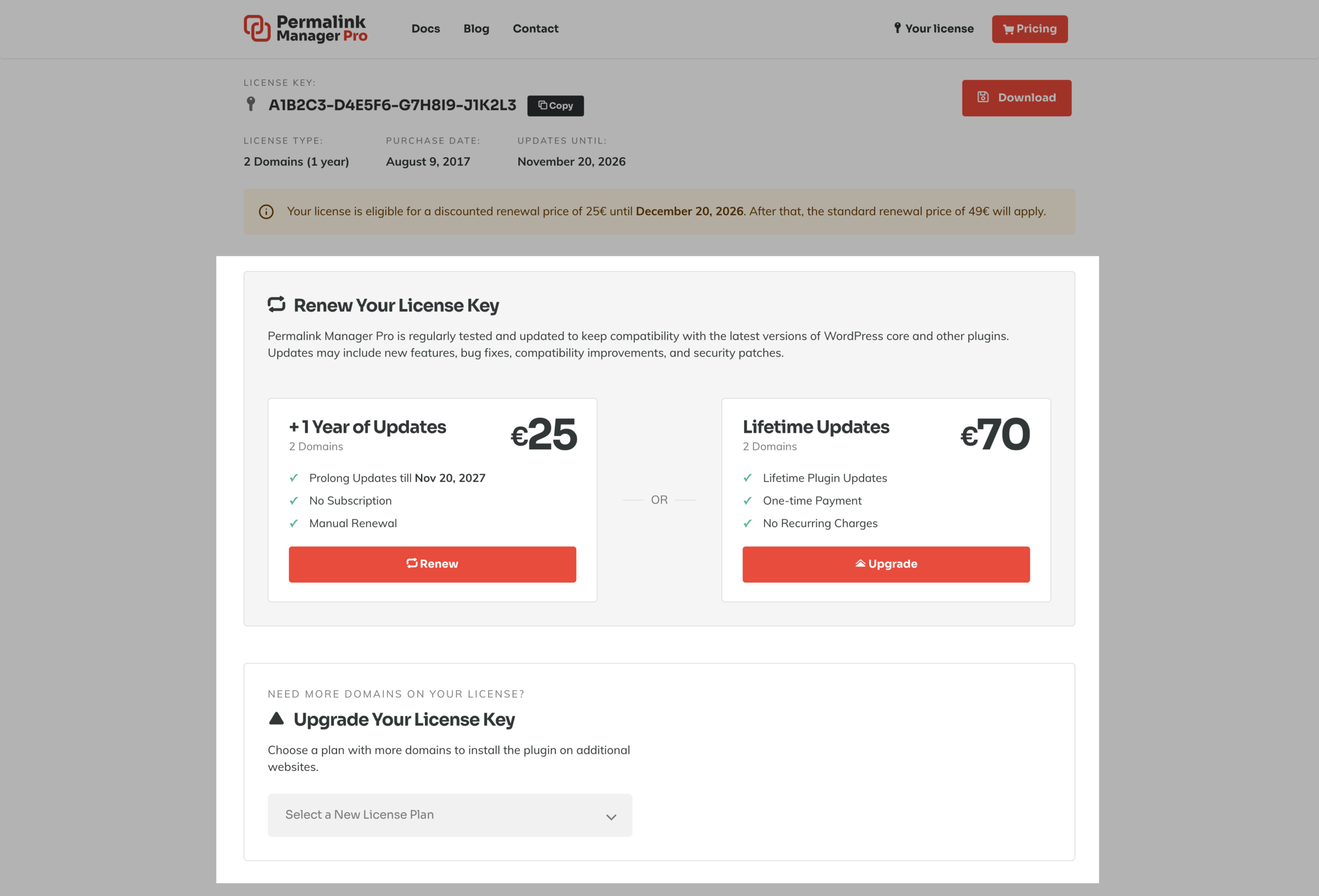
Renewal and upgrades are handled through the License info page.
Renewal
If your one-year license has expired or is about to expire, you can pay to extend it for another year. Renewing is optional. The plugin keeps working even without an active license.
Upgrade
You can switch to a higher-tier plan or a lifetime license at any time. The amount you originally paid is subtracted from the new price, so you only pay the difference.
VAT and Sales Tax
Paddle automatically calculates and adds the VAT rate based on your country when you purchase a license. If you have a valid VAT number, you can enter it at checkout, and the tax will be deducted from the total price.
Applying Your VAT Number at Checkout
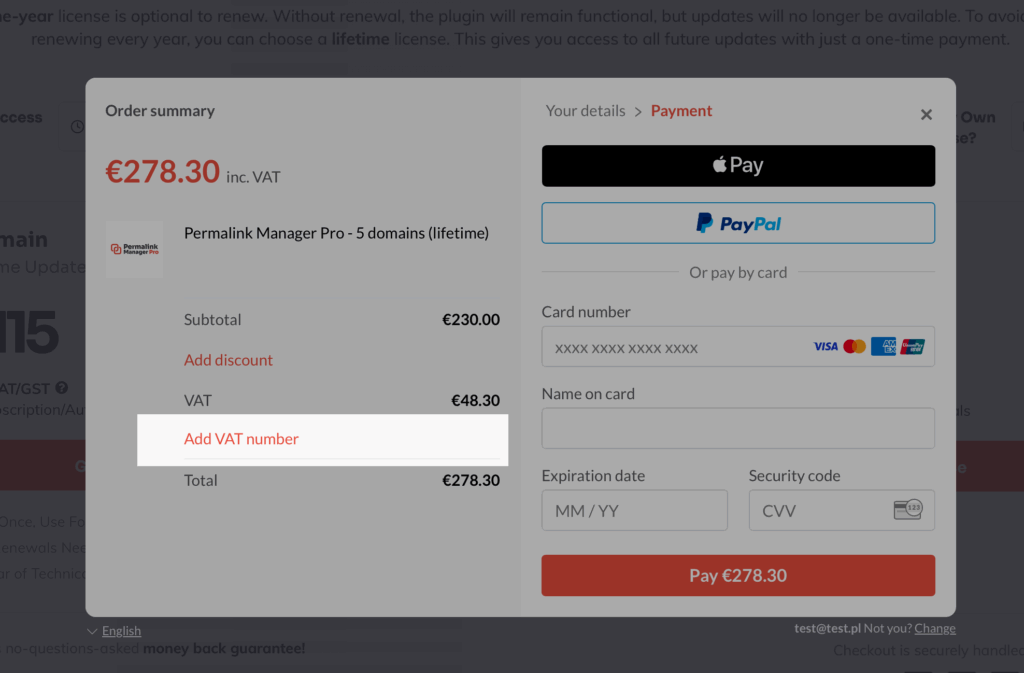
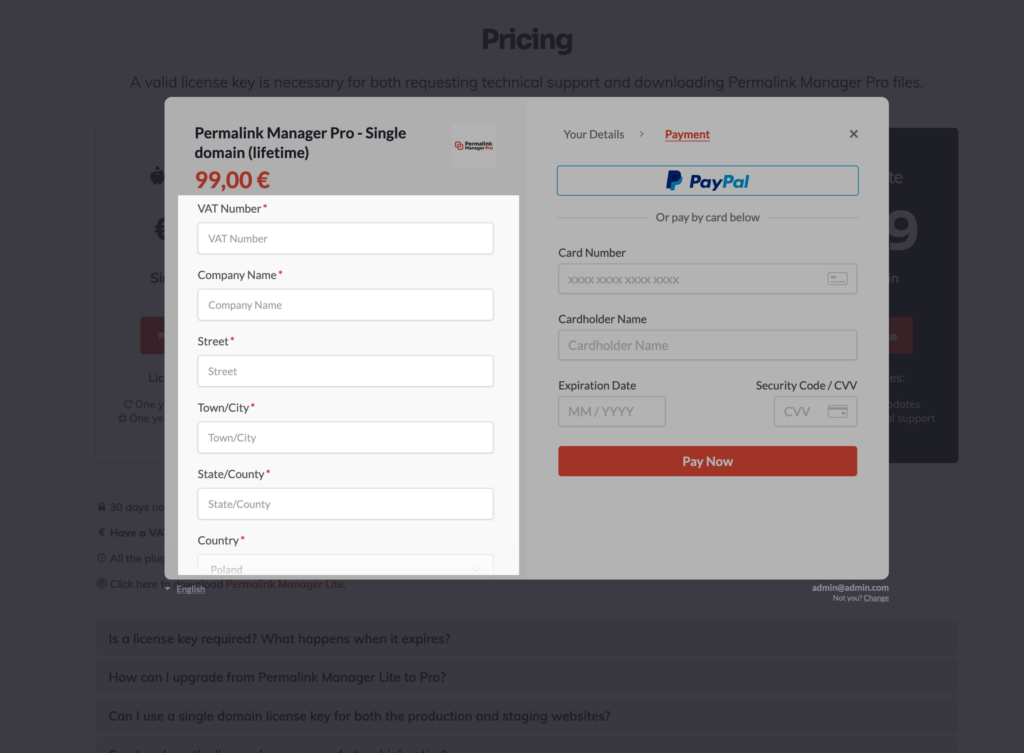
If you require an invoice and have a valid VAT number, please enter it during the checkout procedure. After entering your email address in the checkout form, you will see a "Add VAT Number" button on the final screen where you may select a payment method.
Post-Purchase VAT or Sales Tax Refund
You can ask for a sales tax refund within 60 days after making your purchase, as long as you submit a valid sales tax number for your country. If you did it not provide it at the checkout, you may add it along with the business details using the link delivered in the purchase confirmation email by Paddle.com.
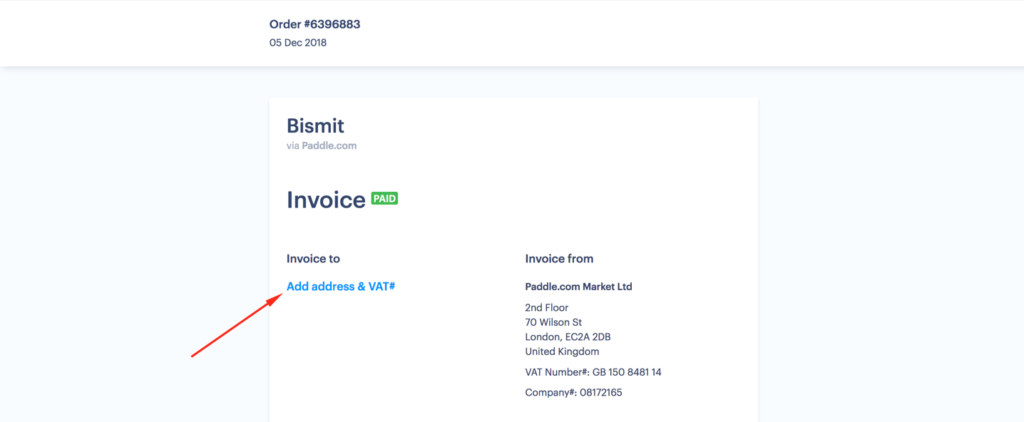
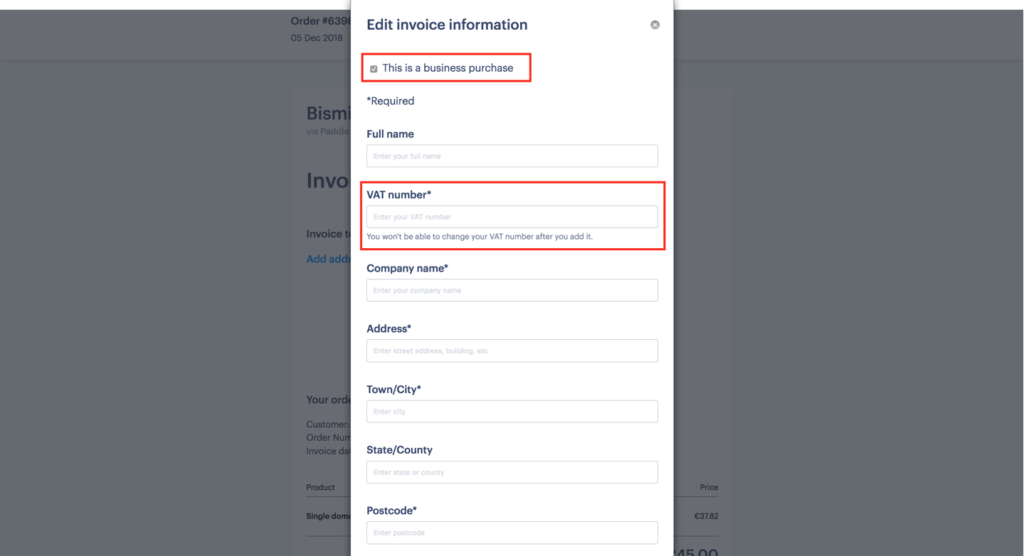
After Paddle verifies the refund request, the tax amount will be returned within 12 hours.
Refunds
If you are not satisfied with Permalink Manager Pro, you can request a full refund within 14 days of your purchase.
To submit a refund request, use the refund request form.
After a refund is processed, the license key is deactivated and automatic plugin updates are disabled.
Frequently Asked Questions
Do I Need To Cancel A Subscription For Permalink Manager?
Permalink Manager is a one-time purchase product that does not require a subscription. The license system ensures that you will not be charged automatically. To acquire the license key, you simply need to make a single payment. There are no strings attached, and you may enjoy the benefits of Permalink Manager without paying any recurring fees.
If you do not have the lifetime variant and want to continue getting plugin updates, you can pay to extend your license key. However, it is entirely up to you to decide whether or not you would like to renew it. If you choose to do so, simply follow the steps outlined above.
What Is A "Merchant Of Record"?
A merchant of record is a financial entity that processes all payments on behalf of a company. It is in charge of collecting payments from consumers, processing chargebacks and refunds, and ensuring that all transactions conform with all applicable legislation. Businesses may streamline their payment procedures and decrease compliance risk by using a merchant of record, such as Paddle.
Paddle is an all-inclusive platform that functions as the merchant of record. As a result, they perform tax-related obligations such as collecting VAT from customers of our plugin, Permalink Manager. Compliance with current tax regulations in many countries, such as the EU and the US, may be difficult and costly for small businesses.